

 Example
Image AI
0/2000
My Creations
ManageExampleChristmas trend: the Grinch filter
Grinch AI Filter
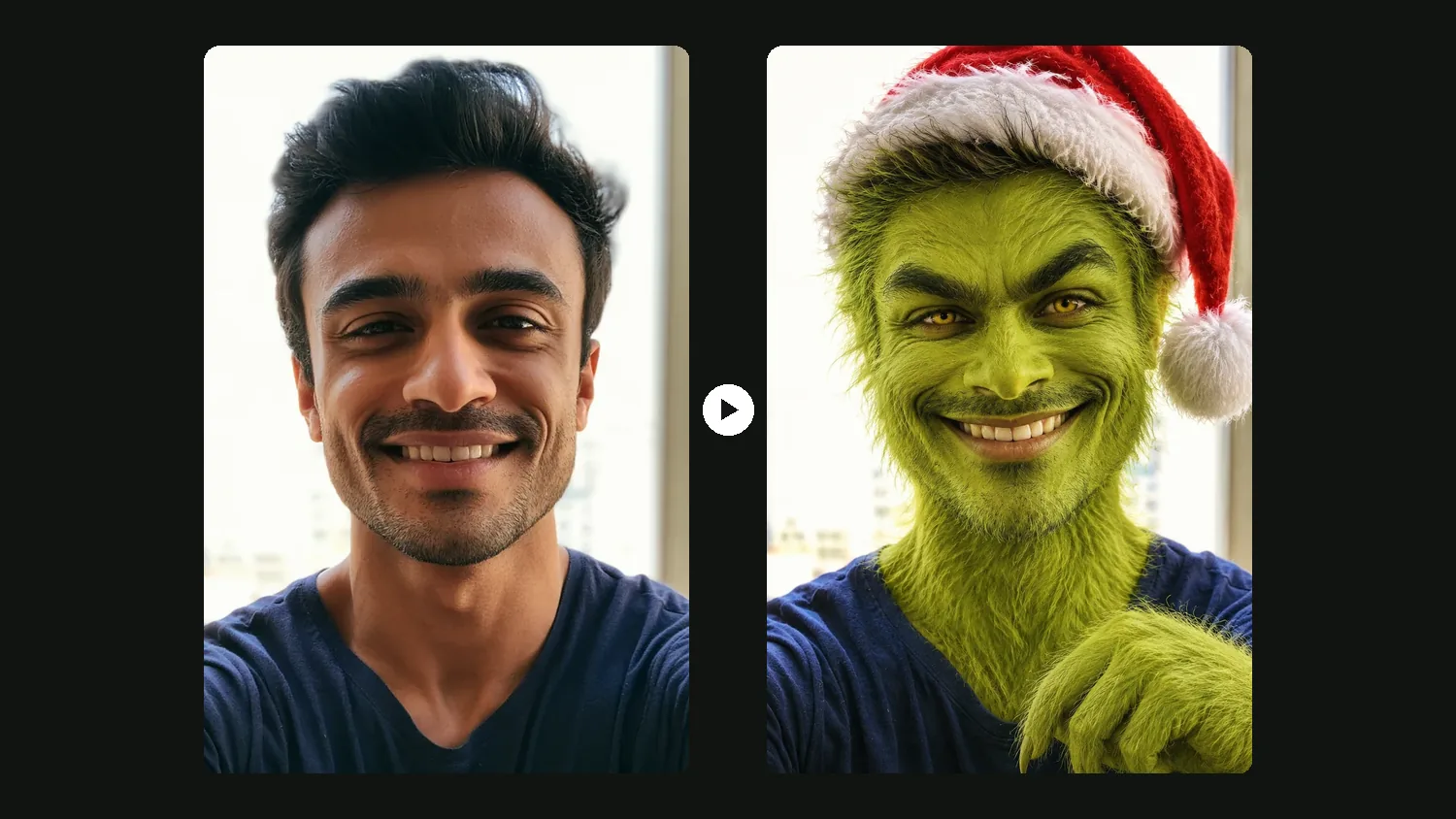
Upload one clear photo of yourself, your family, your dog or your cat. The Grinch AI filter gives you green fur, a sly grin and a Santa hat, or puts the Grinch right next to you in a Christmas photo. Pick a scene, press Generate, and your Grinch AI photo is ready in about half a minute.
- People, families and pets
- 9 ready-made scenes
- Prompts included
New accounts get 3 free credits. With GPT Image 2, one photo costs 1 credit, so you can try the Grinch filter 3 times for free.
 Your petGrinch filter
Pick a Grinch Filter Scene
Each scene is a tested Grinch AI filter prompt. Press a button and it goes into the generator above. Then upload your photo and press Generate.
Become the Grinch
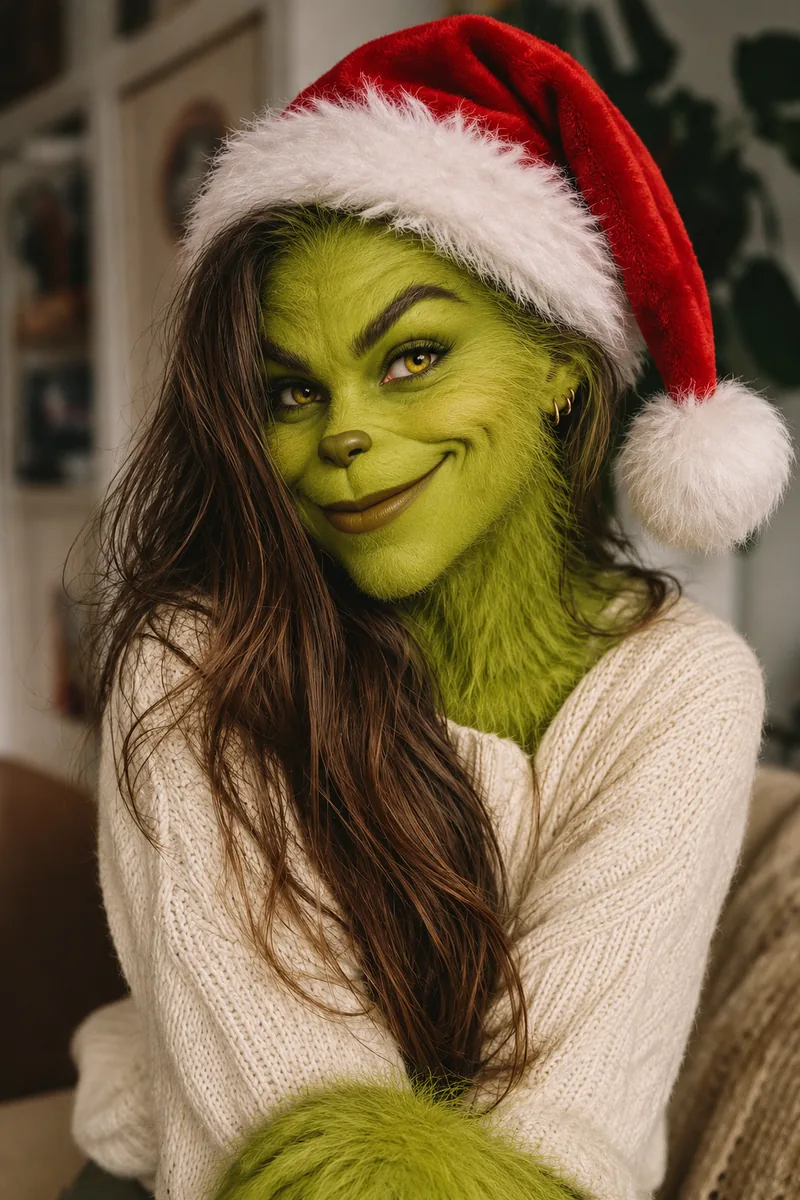
The Grinch filter gives you, your family or your pet green fur and a Grinch grin.
Grinch Yourself
The Grinch AI filter adds green fur, a sly grin and a Santa hat. Your face shape and hair stay.
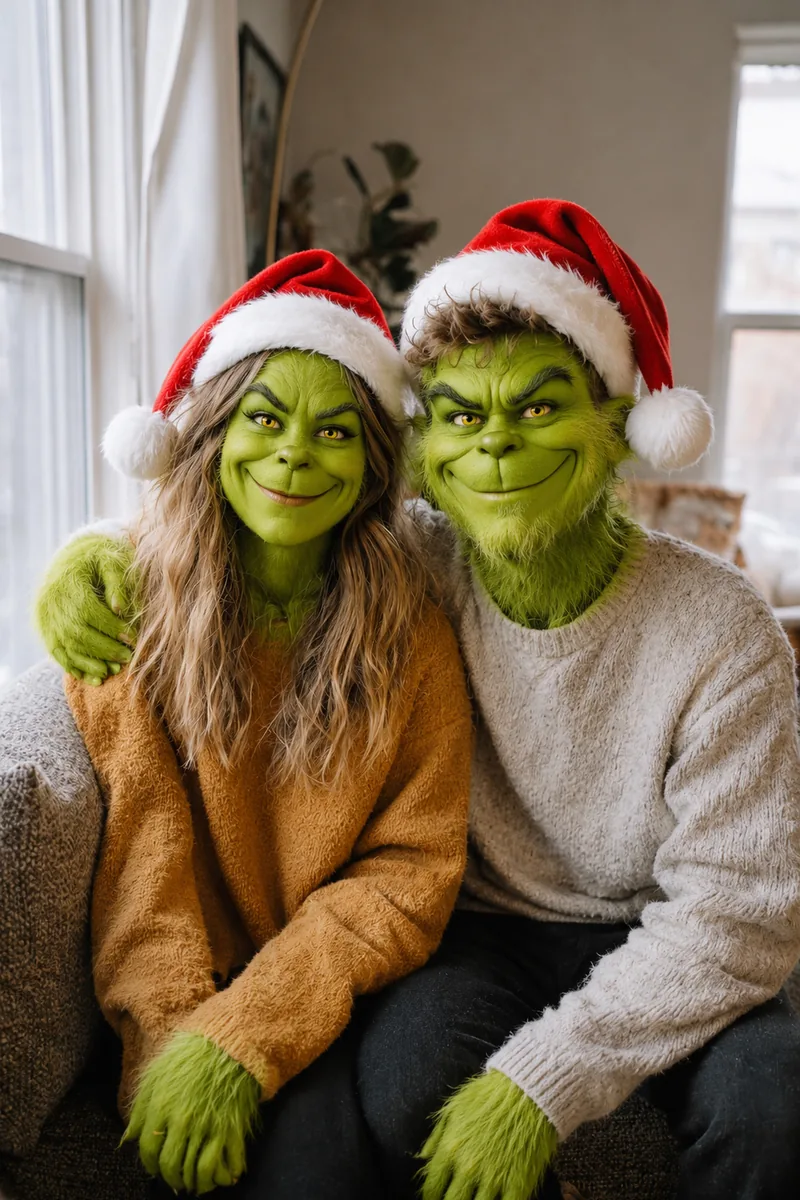
Family Grinch
A Grinch filter for the whole photo: everyone turns green, kids and pets too. Great for couples.
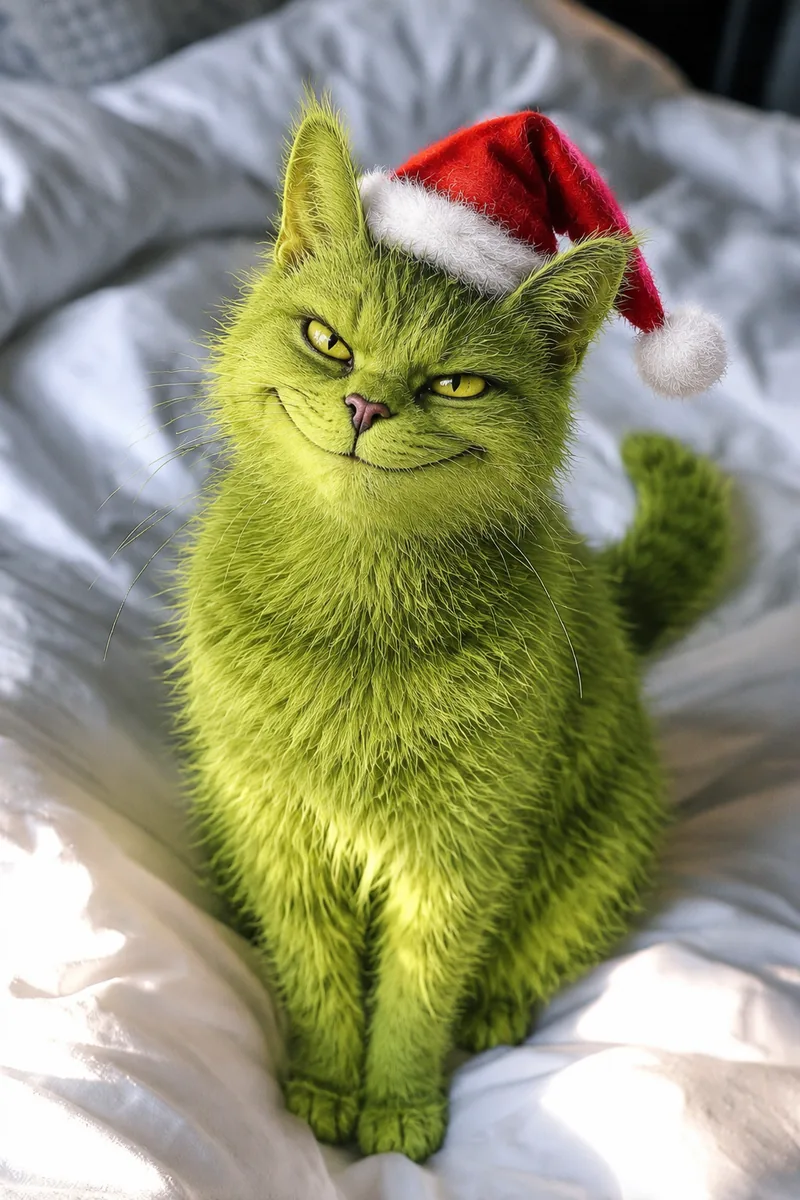
Grinch Pet Filter
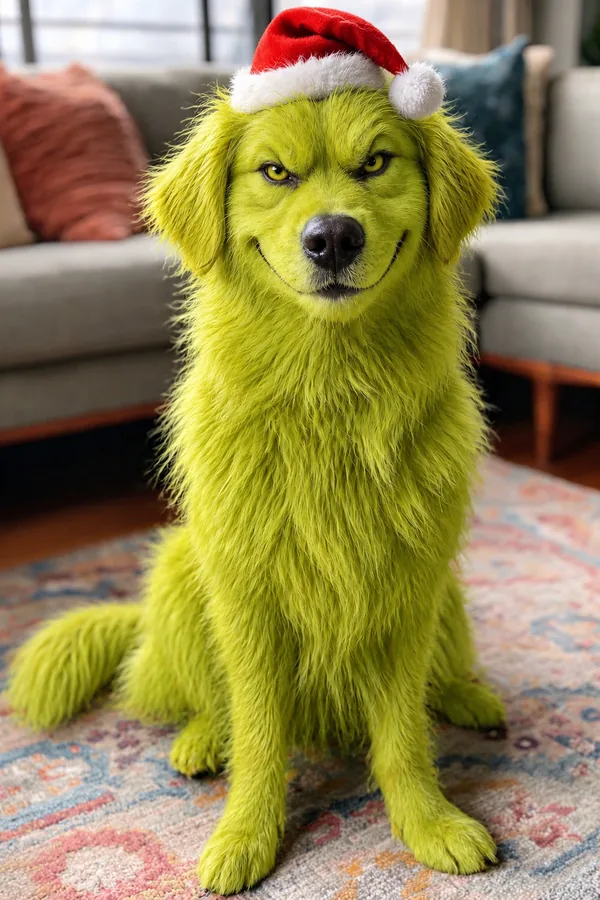
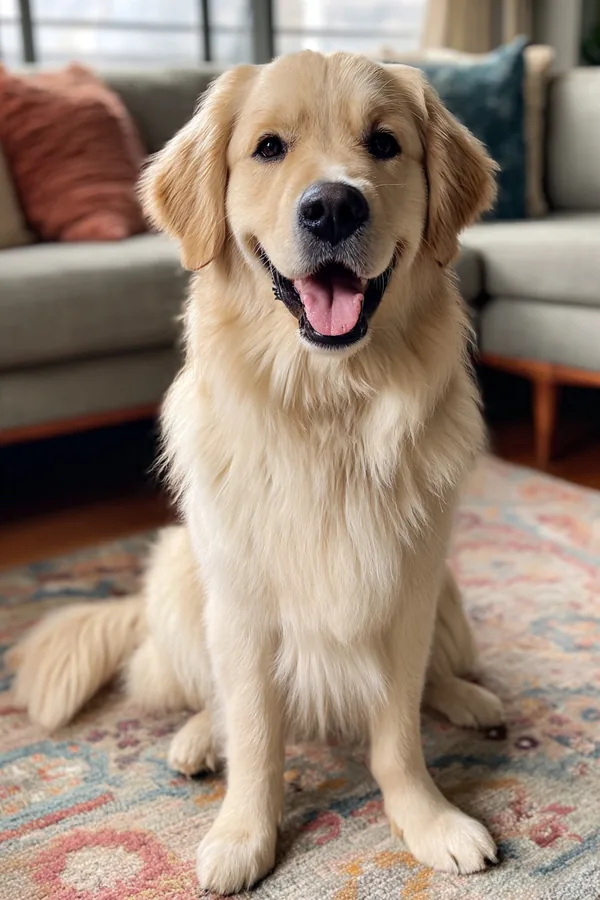
A Grinch filter for your dog or cat. Breed, pose and room stay the same.
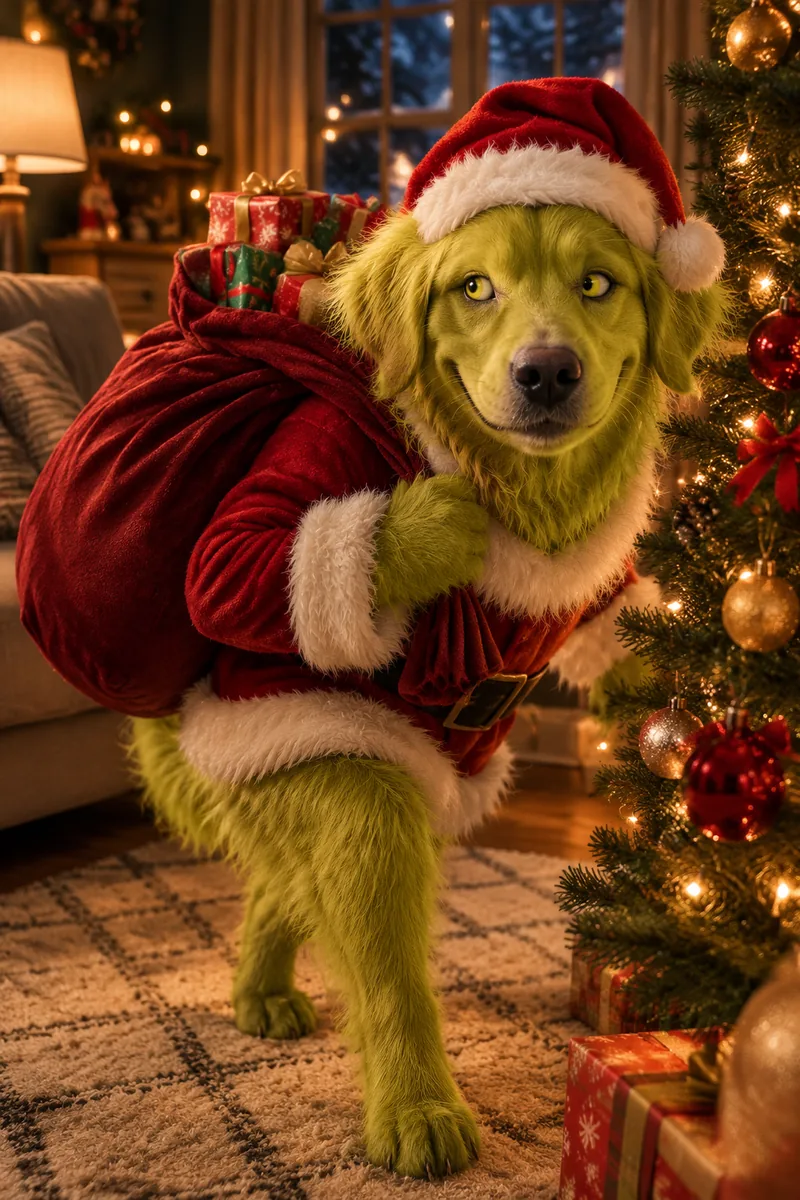
Stealing Christmas
You or your pet in a Santa suit, sneaking off with a sack of presents.
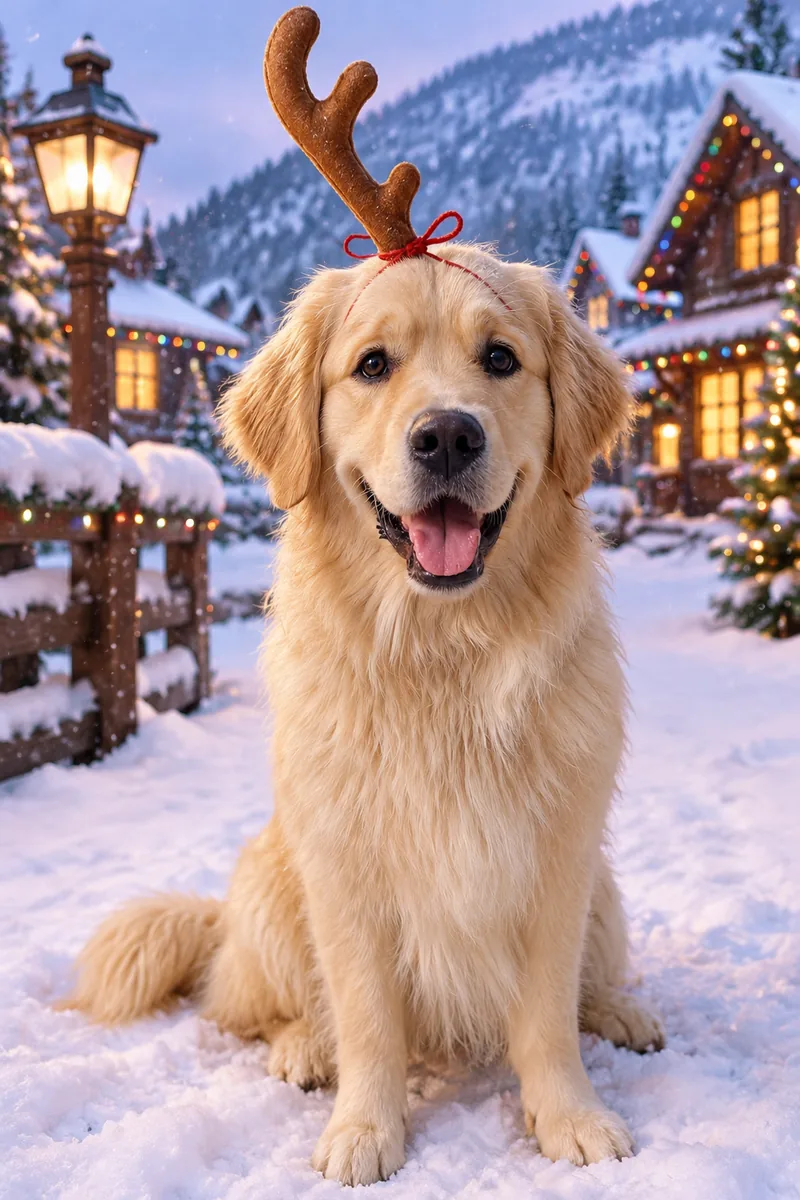
Your Dog as Max
Your dog as Max, the Grinch's loyal dog, with one antler tied on.
Photo with the Grinch
You stay yourself, and the Grinch AI filter adds him to your Christmas photo.
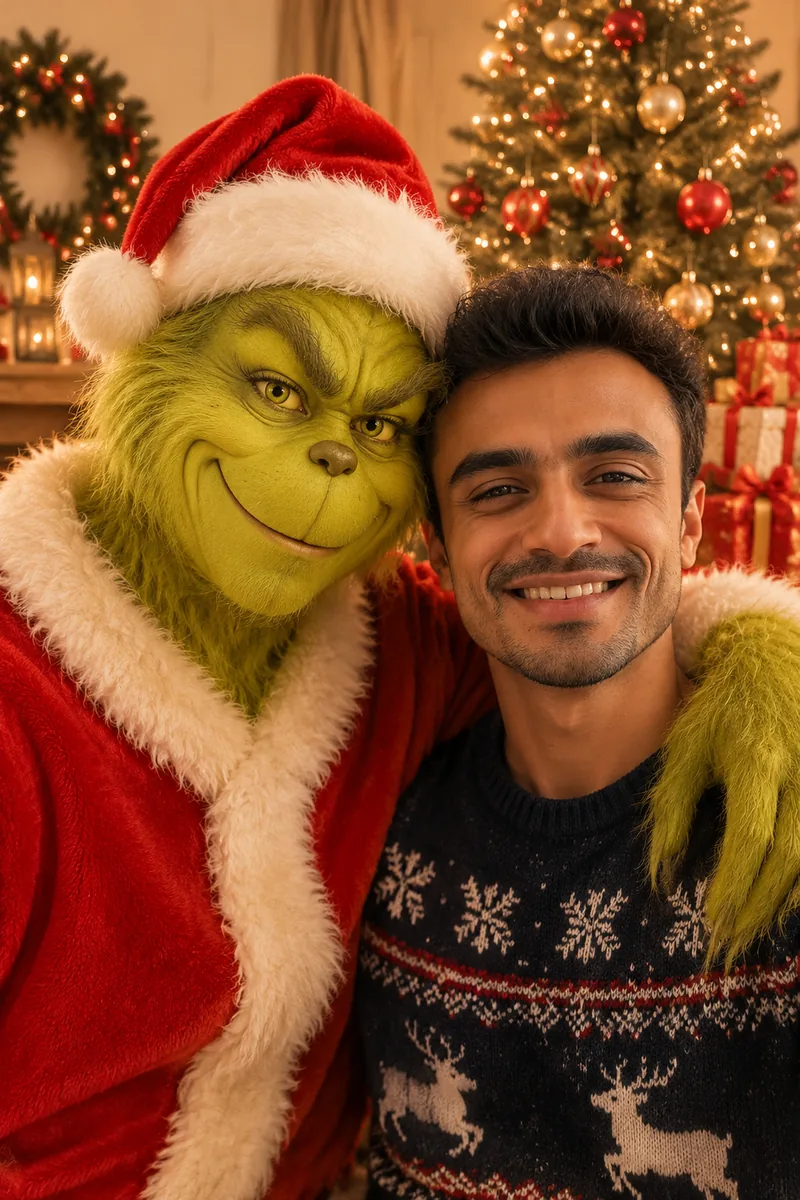
Christmas Card with the Grinch
The Grinch in a Santa suit hugs you by the tree. Works for one person or the whole family.
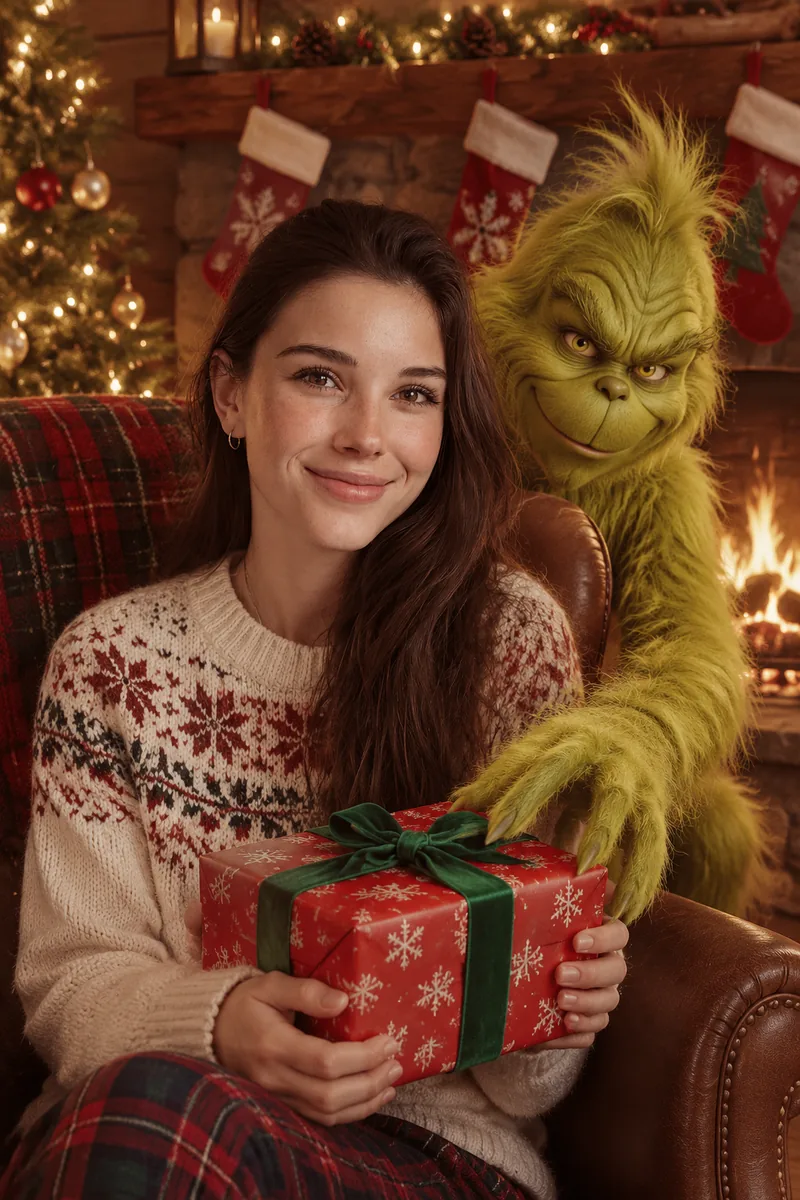
By the Fireplace
You hold a present by the fire while the Grinch sneaks up behind your chair.
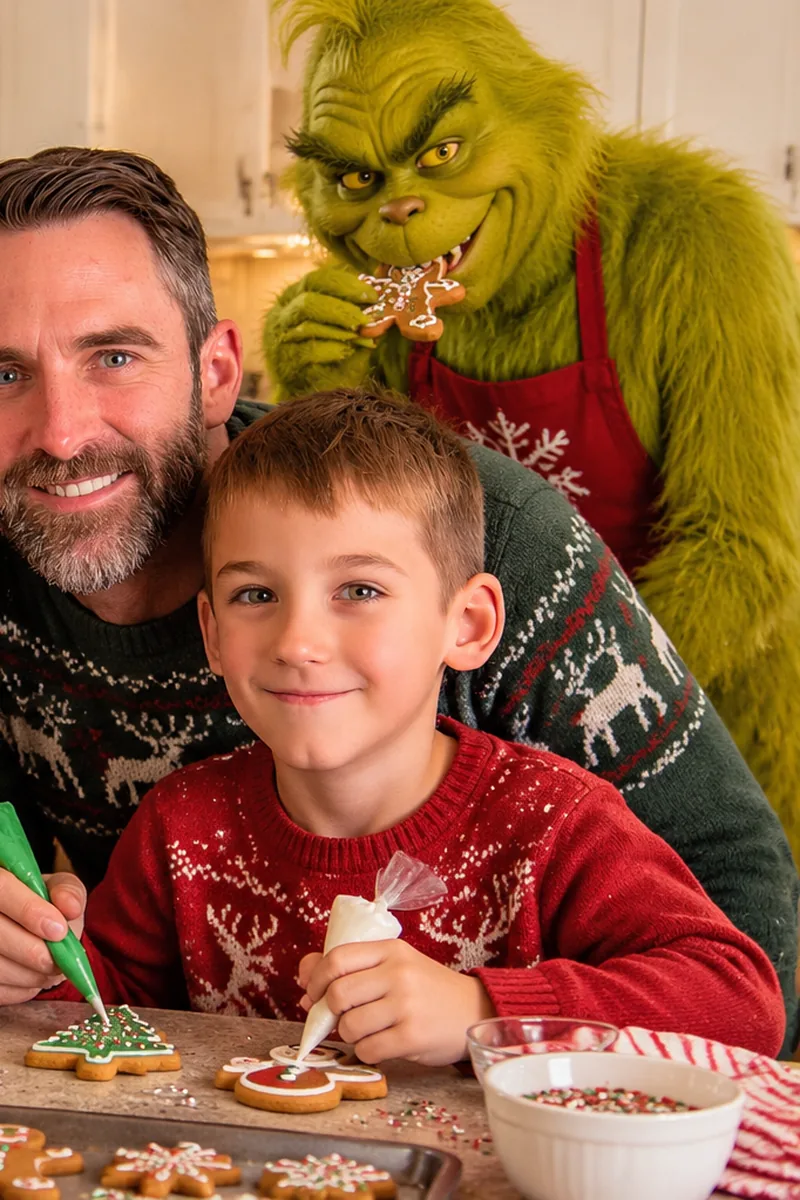
Baking Cookies
You decorate gingerbread cookies while the Grinch steals one behind your back.
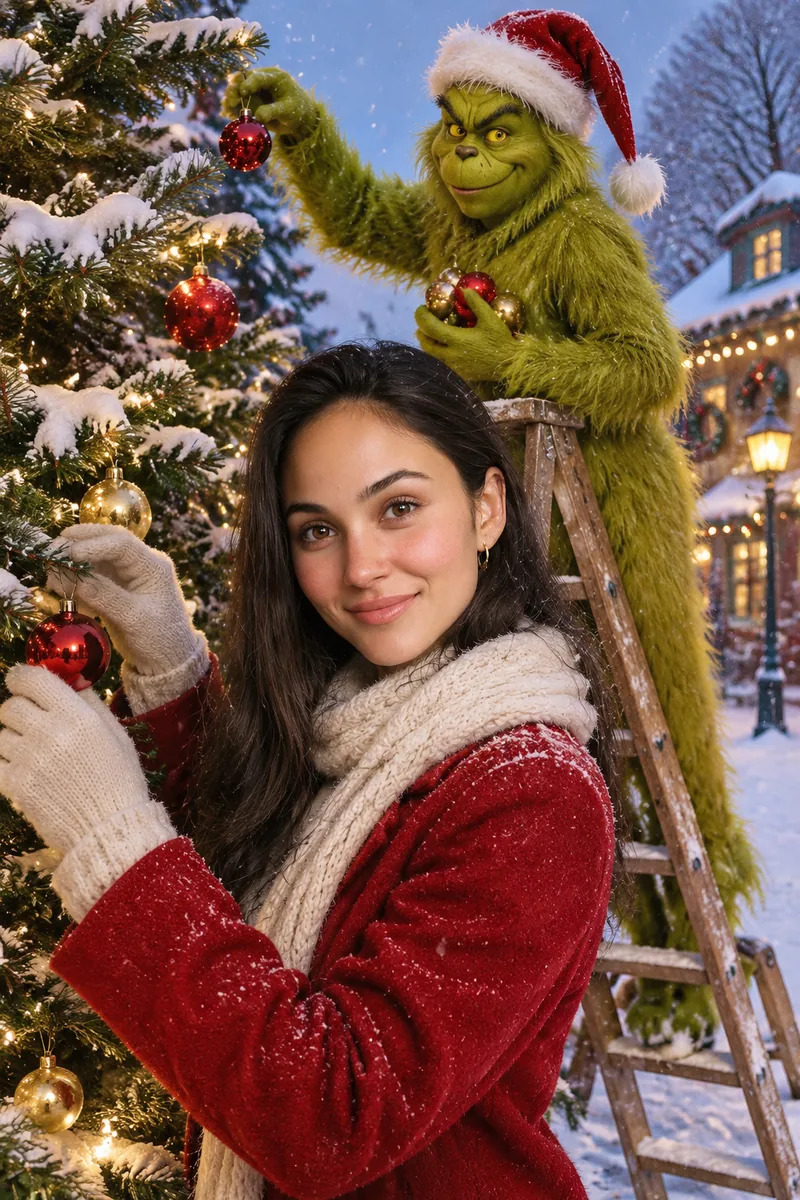
Decorating the Tree
Trim the tree in the snow while the Grinch climbs a ladder to steal the ornaments.
How to Use the Grinch AI Filter
Three steps to use the Grinch filter. No app, no face paint, no costume.
- 1
Upload a clear photo
You, your family or your pet, with every face easy to see.
- 2
Pick a Grinch filter scene
Turn into the Grinch on your own, with your family or with your pet, or pose with the Grinch by the tree, the fireplace or the cookie tray. The prompt fills in for you.
- 3
Generate and download
Press Generate. The Grinch AI filter usually finishes in about 30 seconds.
Tips for a Better Grinch Filter Photo
The photo you upload matters most for the Grinch AI filter.
Family photos work too
For two or more people, pick Family Grinch or any Photo with the Grinch scene. Other scenes work best with one person or pet.
Face the camera
A front-facing photo keeps your face, or your pet's face, easy to recognize.
Bright light
Daylight or a well-lit room. Dark or blurry photos lose fur detail in the Grinch filter.
Pets: shoot at eye level
Get down to your pet's height so the Grinch grin lands right on its face.
Grinch AI Photo Prompts
The full Grinch AI photo prompt behind each Grinch filter scene. Copy one to use or edit it, for example to change the room or the outfit.
Grinch Yourself
Turn the person in this photo into a Grinch version of themselves, like a real photo. Cover their face, neck and hands with shaggy yellow-green fur, give them the Grinch's sly wide grin, arched eyebrows and yellow eyes, and put a red Santa hat on their head. Keep their face shape, hairstyle, facial hair, glasses, pose, clothes and the original background the same so friends can still recognize them. Photorealistic, same lighting and camera angle as the original photo, detailed fur.
Family Grinch
Turn everyone in this photo (every person and any pet) into a Grinch version of themselves, like a real photo. Cover each face, neck and hands with shaggy yellow-green fur, give each of them the Grinch's sly wide grin, arched eyebrows and yellow eyes, and put a red Santa hat on every head. Keep each person's face shape, hairstyle, facial hair, glasses, clothes, size and position, children still looking like children, and the original background the same, so the family can still tell who is who. Photorealistic, same lighting and camera angle as the original photo, detailed fur.
Grinch Pet Filter
Turn the pet in this photo into a Grinch version of itself, like a real photo. Make its fur shaggy yellow-green, give it the Grinch's sly, mischievous grin and narrowed yellow eyes, and put a small red Santa hat on its head. Keep the breed, body shape, pose, ears and the original room background the same. Photorealistic pet photo, same lighting and camera angle, detailed fur.
Stealing Christmas
Turn the subject of this photo (a person or a pet) into a Grinch version of themselves in a cozy living room at night, like a real photo. Shaggy yellow-green fur on the face and body, the Grinch's sly wide grin and yellow eyes, wearing a red Santa suit and Santa hat, tiptoeing past a decorated Christmas tree while dragging a big sack stuffed with wrapped presents, warm fairy lights. Keep their face shape, hairstyle (or breed and ears for a pet) so they are still recognizable. Photorealistic, cinematic, detailed fur.
Your Dog as Max
Turn the dog in this photo into the Grinch's loyal dog Max, like a real photo. Keep the dog's breed, face, fur color and size, and tie one big brown reindeer antler to the top of its head with a loop of red string. The dog sits in fresh snow outside a snowy mountain village with colorful Christmas lights at dusk, looking at the camera with a sweet, slightly worried face. Photorealistic pet photo, detailed fur.
Christmas Card with the Grinch
Photorealistic Christmas photo of the person or people from this photo standing next to the Grinch: a tall, shaggy yellow-green furry Grinch with a sly grin and yellow eyes, wearing a red Santa suit and Santa hat. The Grinch has his arms around their shoulders, everyone looking at the camera, a decorated Christmas tree and wrapped presents behind them. Keep every person's face, identity, skin tone, hairstyle and age exactly as in the photo; do not beautify or change the faces. Warm cozy light, holiday card photo.
By the Fireplace
Photorealistic Christmas photo of the person or people from this photo sitting by a crackling fireplace in a cozy cabin living room, holding a wrapped present and smiling at the camera, while the Grinch, tall with shaggy yellow-green fur, a sly grin and yellow eyes, peeks out from behind their armchair and reaches for the present. Stockings on the mantel, warm firelight. Keep every person's face, identity, skin tone, hairstyle and age exactly as in the photo; do not beautify or change the faces. Holiday card photo.
Baking Cookies
Photorealistic Christmas photo of the person or people from this photo decorating gingerbread cookies at a kitchen counter, smiling at the camera, while the Grinch, tall with shaggy yellow-green fur, a sly grin and yellow eyes, wearing a red apron, stands behind them sneakily eating a cookie. Icing bags, sprinkles and trays of cookies, warm kitchen light. Keep every person's face, identity, skin tone, hairstyle and age exactly as in the photo; do not beautify or change the faces.
Decorating the Tree
Photorealistic Christmas photo of the person or people from this photo decorating a big outdoor Christmas tree in fresh snow at dusk, smiling at the camera, while the Grinch, tall with shaggy yellow-green fur, a sly grin, yellow eyes and a lopsided Santa hat, stands on a ladder behind them stealing ornaments off the tree. A snowy village with string lights in the background. Keep every person's face, identity, skin tone, hairstyle and age exactly as in the photo; do not beautify or change the faces.
What Is the Grinch Filter Trend?
Every December, people use a Grinch filter to turn themselves and their pets into the Grinch, the green, furry Christmas grump from the Dr. Seuss story. The Grinch filter started as face filters on social apps. Grinch AI goes further: real-looking fur, a real Santa hat and your own living room, so the result looks like a photo, not a sticker.
Searches for Grinch AI and the Grinch filter climb in late November and peak in the week before Christmas. Last year, a favorite way to play was a photo with the Grinch: you stay yourself, and the Grinch joins you by the tree or the fireplace. This Grinch AI filter does both from one photo of a person, a family, a dog or a cat.
The Grinch is a character created by Dr. Seuss. This page is a fan-made photo effect and is not connected with Dr. Seuss Enterprises or Universal Pictures.
More Christmas and Photo Effects
Liked the Grinch filter? Here are other fun ways to use your photos.


Grinch AI Filter FAQ
Is the Grinch AI filter free?
New accounts get 3 free credits. With the default model, GPT Image 2, each photo costs 1 credit, so your first 3 Grinch photos are free. The Generate button always shows the cost first. If a photo fails, the credits go back to your account.
Does the Grinch filter work on dogs and cats?
Yes. Use the Grinch Pet Filter scene. The fur turns yellow-green and your pet gets a Grinch grin and a Santa hat, while the breed, pose and room stay the same. For dogs, also try the Max scene.
Can I use a family or couple photo?
Yes. In the Grinch AI filter, Family Grinch turns everyone in the photo into a Grinch, kids and pets too. The four Photo with the Grinch scenes keep every face as it is and add the Grinch next to you. In our tests, a couple and a family of four came out with every face kept.
Will people still recognize me?
The Grinch AI filter keeps your face shape, hairstyle, facial hair, glasses and clothes, so friends can tell it is you. If you want your face to stay exactly as it is, pick any Photo with the Grinch scene.
Can I change the scene or the outfit?
Yes. Every Grinch AI filter prompt is on this page. Copy one, change the room, the clothes or the pose, and paste it into the generator.
Is this the official Grinch?
No. The Grinch is a character created by Dr. Seuss. This is a fan-made AI photo effect, not connected with Dr. Seuss Enterprises or Universal Pictures.
Who can see my photos?
Your uploads and results are private to your account unless you share them. They are kept for one year, so you can come back and download them.
Grinch Yourself This Christmas
Upload a photo of you or your pet, and the Grinch AI filter shows your Grinch side in seconds.