

 Example
Image AI
 Sheru Bhai is added automatically
0/2000
My Creations
ManageExampleTrending now: the lion boss
Sheru Bhai AI Photo Generator
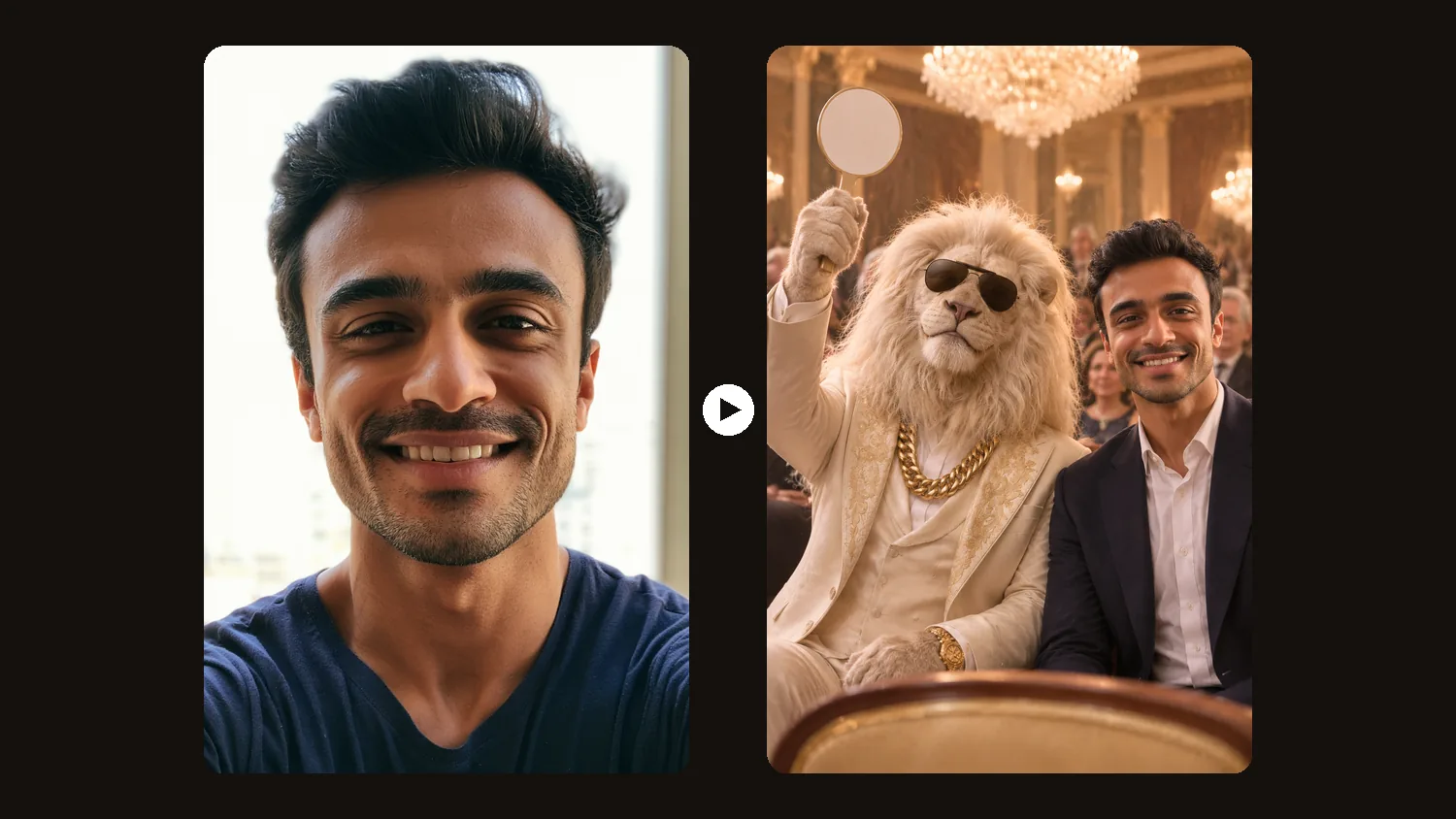
Upload one clear photo and pose with Sheru Bhai, the lion boss in a suit and gold chain. Pick a scene, press Generate, and your Sheru Bhai AI photo is ready in about half a minute.
- Your face stays the same
- 5 ready-made scenes
- Prompts included
New accounts get 3 free credits. With GPT Image 2, one photo costs 1 credit, so you can make 3 photos for free.
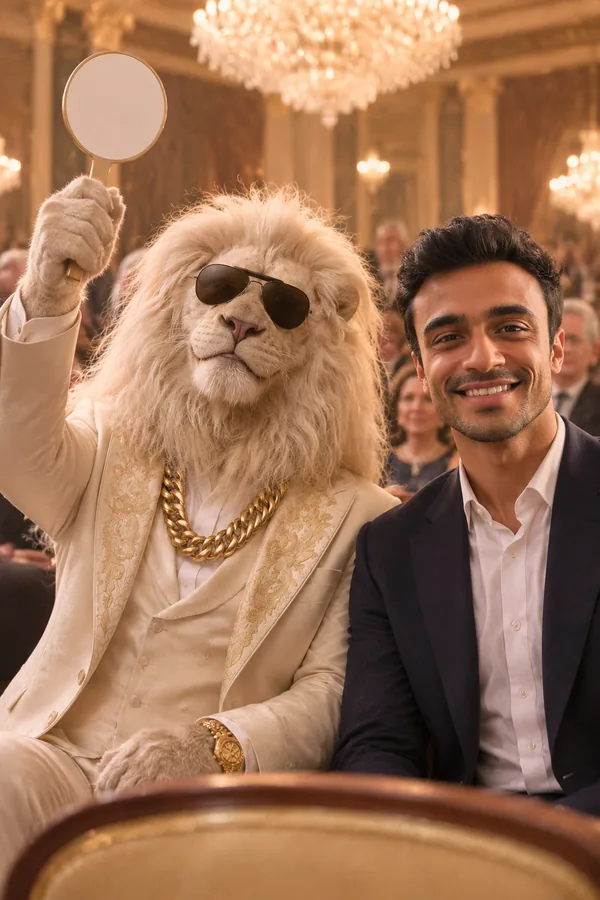
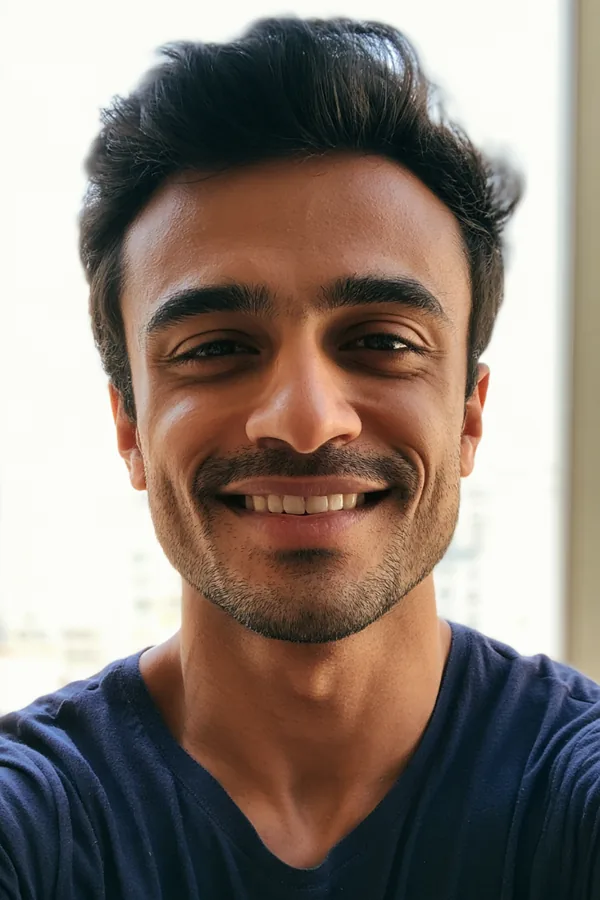 Your selfieWith Sheru Bhai
Pick a Sheru Bhai Scene
Every scene uses the same lion boss, so your photos look like one story. Press a button and the scene prompt goes into the generator.
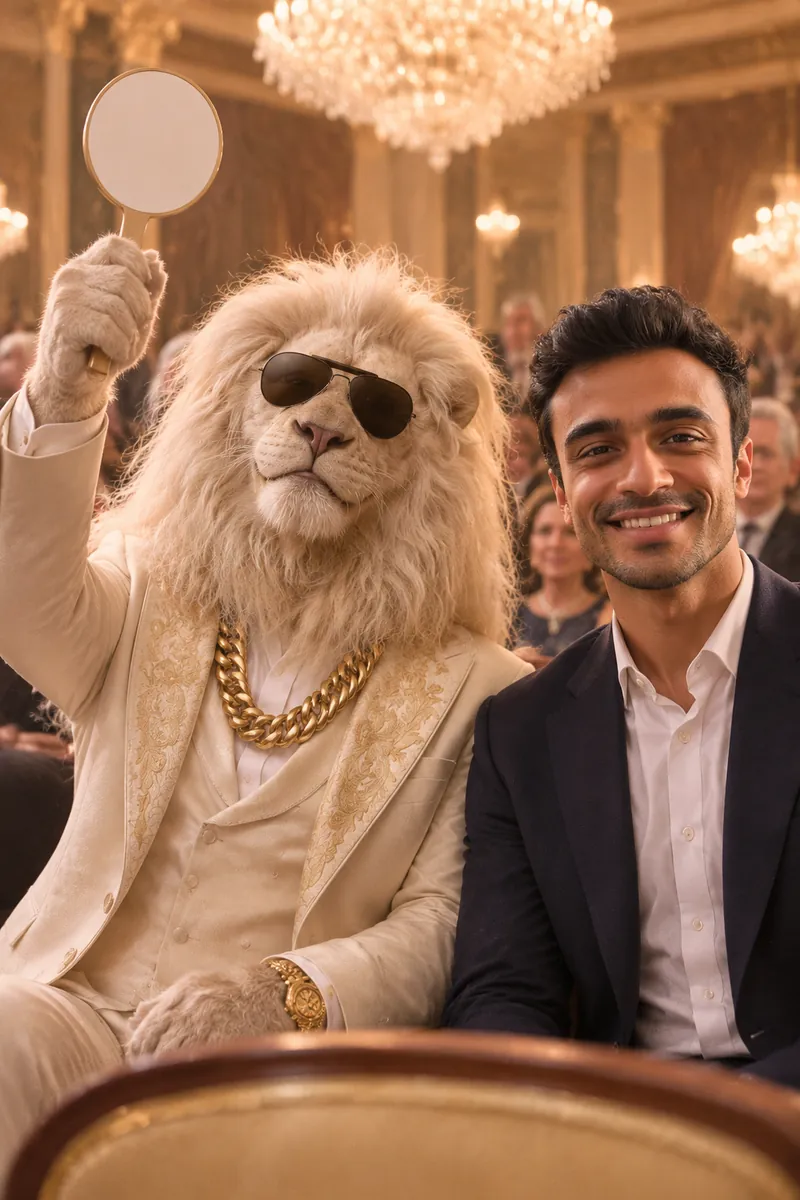
Luxury Auction
He raises the paddle and wins the bid. The scene that made the meme famous.
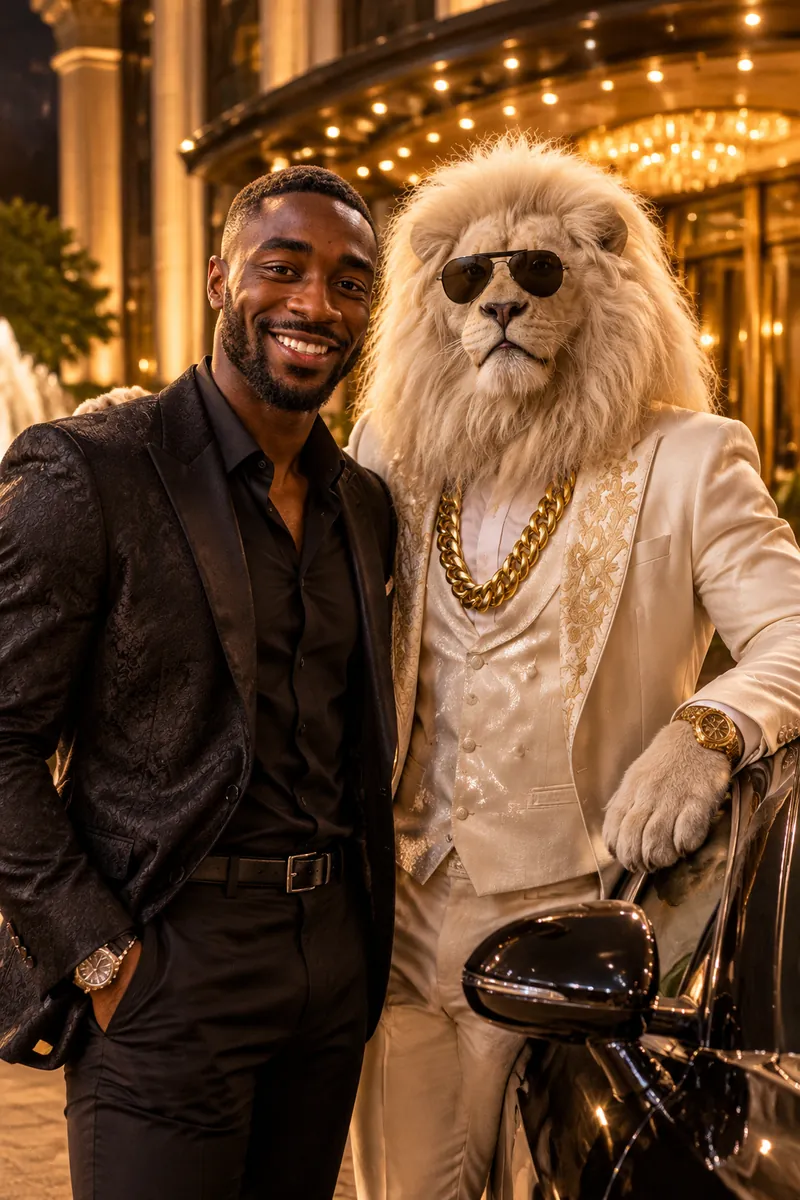
Sports Car & White Suit
Night outside a five-star hotel, one hand on a black sports car.
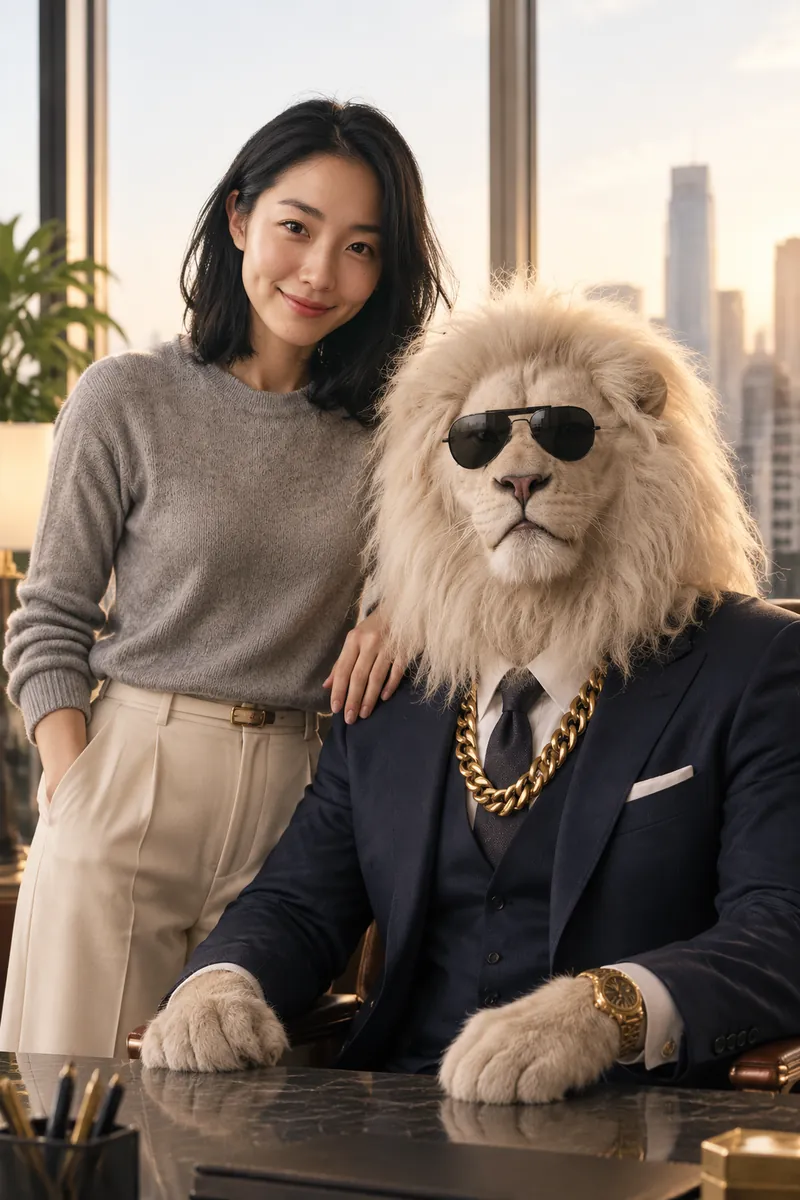
Boss Office
The lion in a navy three-piece suit behind a big desk, city lights below.
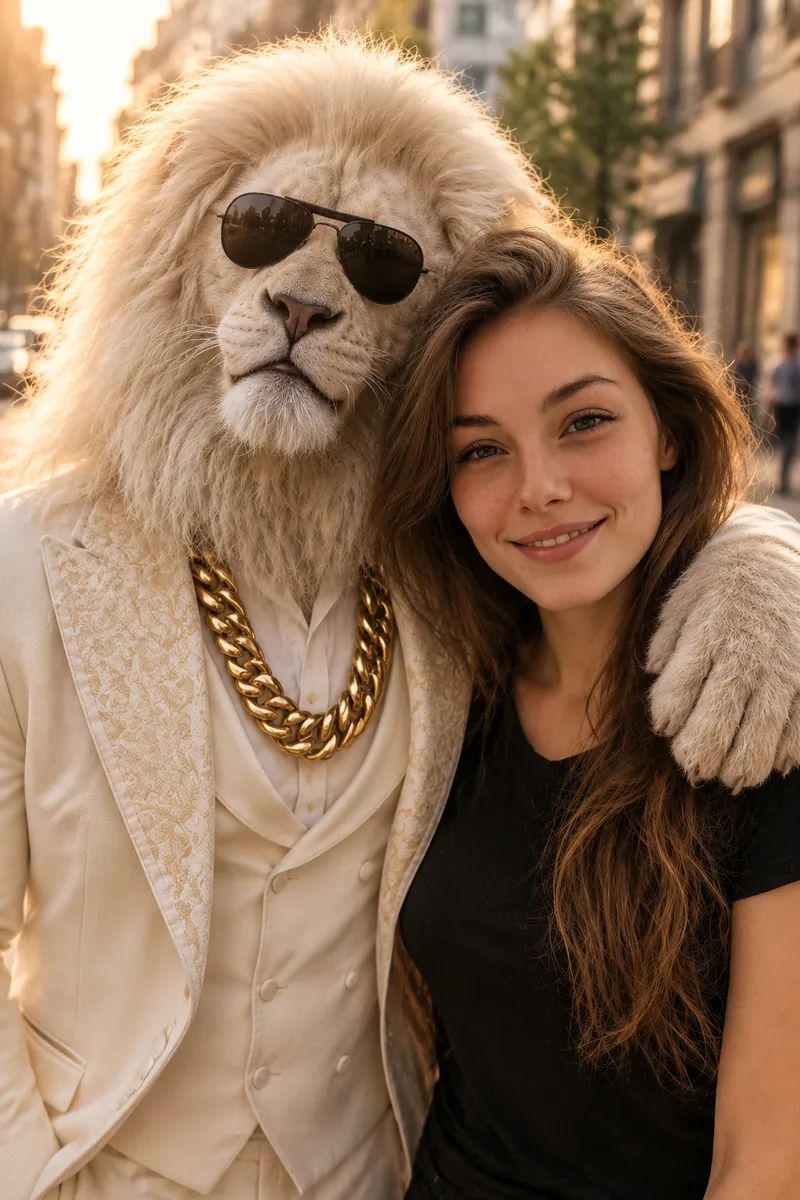
Street Friends
Arm around your shoulder on a busy street at golden hour.
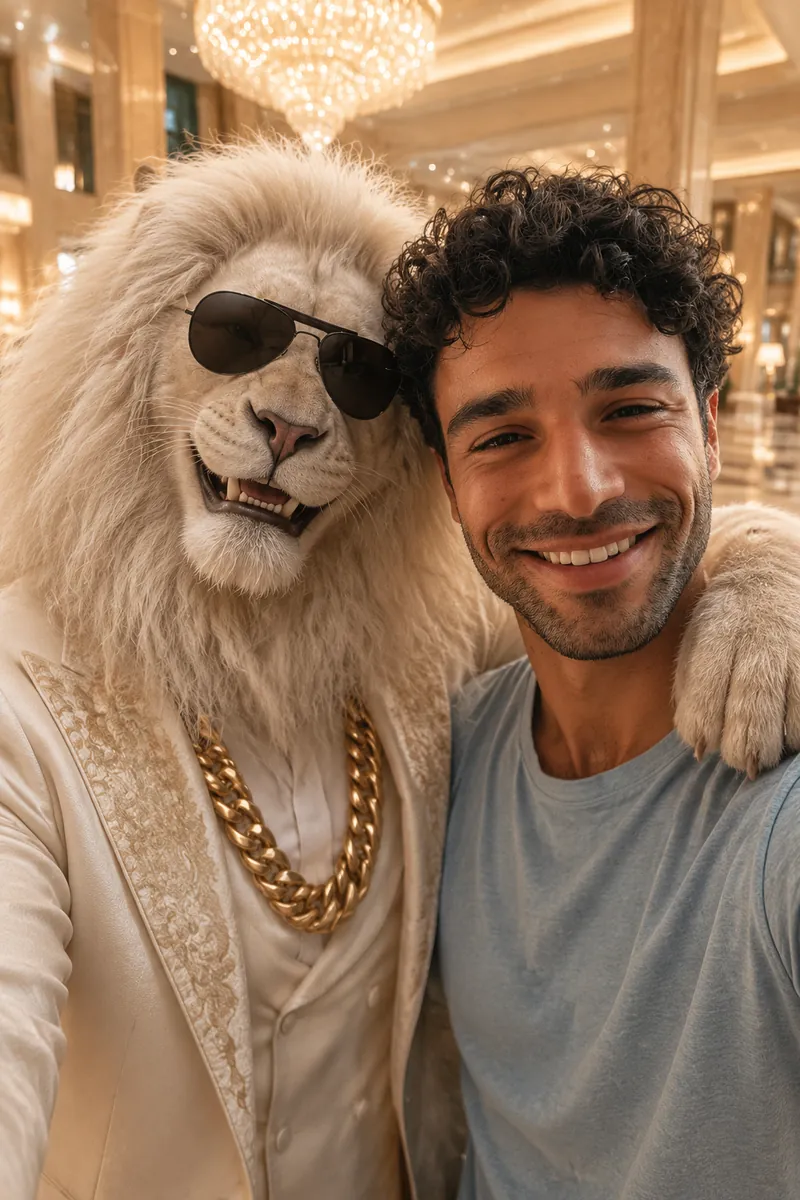
Selfie Together
A close phone selfie in a hotel lobby, both of you smiling.
How to Make a Sheru Bhai Photo
Three steps, no editing app and no long prompt to write.
- 1
Upload a clear solo photo
Use a photo of just you, with your face easy to see.
- 2
Pick a scene
Choose the auction, the sports car, the office, the street or a selfie. The prompt fills in for you.
- 3
Generate and download
Press Generate. Your Sheru Bhai AI photo is usually ready in about 30 seconds.
Tips for a Better Photo
The photo you upload matters most.
One person only
A photo with just you works best. Crop out other people first.
Face the camera
A front-facing photo keeps your face closest to real life.
Bright light
Daylight or a well-lit room. Dark or blurry photos lose detail.
No sunglasses or hats
Leave the sunglasses to the lion. Hats and masks hide your face.
Sheru Bhai Photo Prompts
The full prompts behind each scene. Copy one to use or edit it, for example to change the place or your outfit.
Luxury Auction
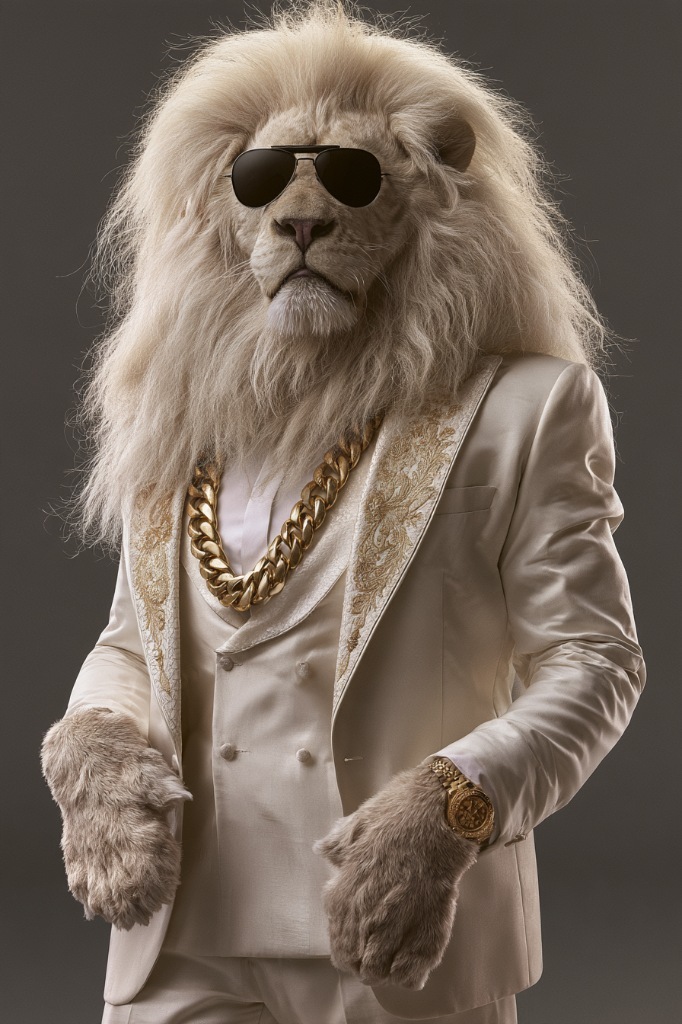
Photorealistic photo of the person from the first image together with the white lion boss from the second image. Keep the person's face, identity, skin tone, hairstyle and age exactly as in the first image; do not beautify or change the face. Keep the lion as in the second image: white fur and mane, dark aviator sunglasses, thick gold chain. Scene: a luxury auction hall with chandeliers. The lion, in his white suit, sits in the front row and raises a bidding paddle with a confident smile while the person sits beside him in smart clothes, looking at the camera. Other bidders blurred in the background. Cinematic warm light, shallow depth of field, realistic proportions, both faces clearly visible. No real brand names, logos or readable signs.
Sports Car & White Suit
Photorealistic photo of the person from the first image together with the white lion boss from the second image. Keep the person's face, identity, skin tone, hairstyle and age exactly as in the first image; do not beautify or change the face. Keep the lion as in the second image: white fur and mane, dark aviator sunglasses, thick gold chain. Scene: night, in front of a five-star hotel entrance, next to a glossy black luxury sports car. The lion stands in his white suit, one hand on the car roof, and the person stands next to him in stylish clothes. Both look at the camera. Cinematic warm light, shallow depth of field, realistic proportions, both faces clearly visible. No real brand names, logos or readable signs.
Boss Office
Photorealistic photo of the person from the first image together with the white lion boss from the second image. Keep the person's face, identity, skin tone, hairstyle and age exactly as in the first image; do not beautify or change the face. Keep the lion as in the second image: white fur and mane, dark aviator sunglasses, thick gold chain. Scene: a high-rise boss office with floor-to-ceiling windows over a city skyline. The lion wears a dark navy three-piece suit and sits behind a large desk; the person stands beside the desk with a hand on the lion's shoulder. Both look at the camera. Cinematic warm light, shallow depth of field, realistic proportions, both faces clearly visible. No real brand names, logos or readable signs.
Street Friends
Photorealistic photo of the person from the first image together with the white lion boss from the second image. Keep the person's face, identity, skin tone, hairstyle and age exactly as in the first image; do not beautify or change the face. Keep the lion as in the second image: white fur and mane, dark aviator sunglasses, thick gold chain. Scene: a busy city street at golden hour. The lion in his white suit and the person stand side by side like best friends, the lion's arm around the person's shoulders, both smiling at the camera. Cinematic warm light, shallow depth of field, realistic proportions, both faces clearly visible. No real brand names, logos or readable signs.
Selfie Together
Photorealistic photo of the person from the first image together with the white lion boss from the second image. Keep the person's face, identity, skin tone, hairstyle and age exactly as in the first image; do not beautify or change the face. Keep the lion as in the second image: white fur and mane, dark aviator sunglasses, thick gold chain. Scene: a close-up phone selfie taken by the person at arm's length, the lion in his white suit leaning in next to them, both smiling, a luxury hotel lobby behind them. Selfie angle, the phone not visible. Cinematic warm light, shallow depth of field, realistic proportions, both faces clearly visible. No real brand names, logos or readable signs.
What Is the Sheru Bhai Trend?
Sheru Bhai is a viral AI character on Instagram: a white lion dressed like a very rich boss, with a sharp suit, a thick gold chain and dark sunglasses. Since early November 2026, people have been sharing short videos and pictures of him at luxury auctions, next to sports cars and in big offices.
The fun part is putting yourself in the picture. Most people make a Sheru Bhai ka photo in a chatbot with a reference picture and a long prompt. This page does it in one step: upload your selfie, pick a scene and get your own Sheru Bhai AI photo.
More Photo and Video Effects
Other fun ways to use your photos.


Sheru Bhai AI Photo FAQ
Is the Sheru Bhai AI photo generator free?
New accounts get 3 free credits. With the default model, GPT Image 2, each photo costs 1 credit, so your first 3 photos are free. The Generate button always shows the cost first. If a photo fails, the credits go back to your account.
Will my face change?
We tested three different real photos in all five scenes, and the face, skin tone, hairstyle and age stayed the same in all 15 results. Your clothes may change to fit the scene. A clear, front-facing photo works best.
Can I pose with a friend or my partner?
Yes. Upload both photos, then in the prompt change "the person from the first image" to "the two people from the first and second images", and "the second image" to "the third image" for the lion. Both faces stayed the same in our test.
Can I make a Sheru Bhai video?
Not on this page right now. It makes photos only.
Is this the official Sheru Bhai?
No. This is our own Sheru Bhai style AI lion, made for fun. We are not connected with any creator of the trend.
Who can see my photos?
Your uploads and results are private to your account unless you share them. They are kept for one year, so you can come back and download them.
Your Turn to Pose with the Boss
Upload a selfie, pick a scene and get your Sheru Bhai AI photo.