

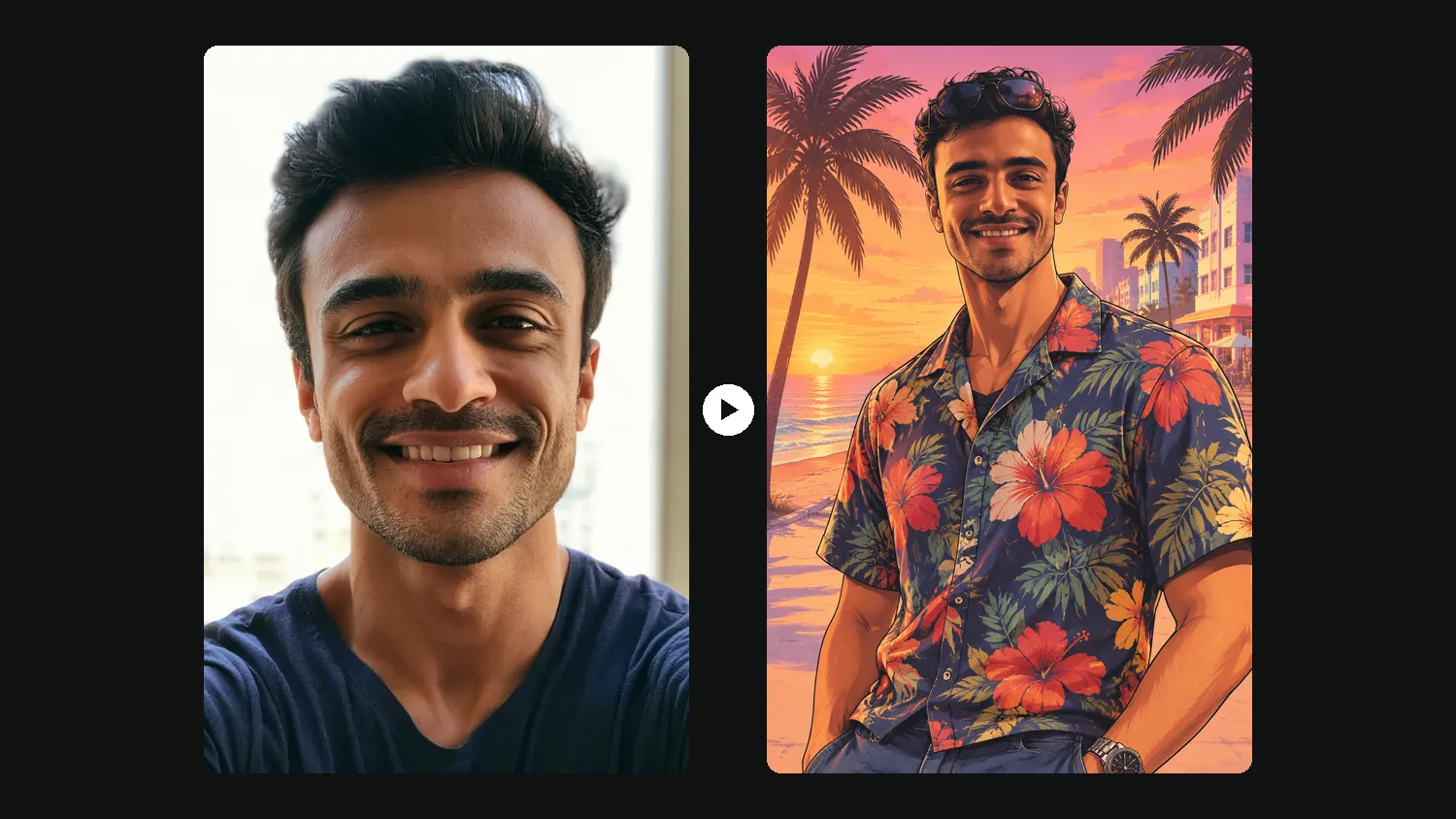
 Example
Image AI
0/2000
My Creations
ManageExampleNew trend: the GTA 6 filter
GTA AI Filter
Upload one clear selfie, and the GTA AI filter turns you into a character from a sunny crime game: a painted loading screen poster, or a screenshot where you are the player. Pick a scene, press Generate, and your GTA 6 style photo is ready in about half a minute.
- People, couples and pets
- 8 ready-made scenes
- Prompts included
New accounts get 3 free credits. With GPT Image 2, one photo costs 1 credit, so you can try the GTA filter 3 times for free.
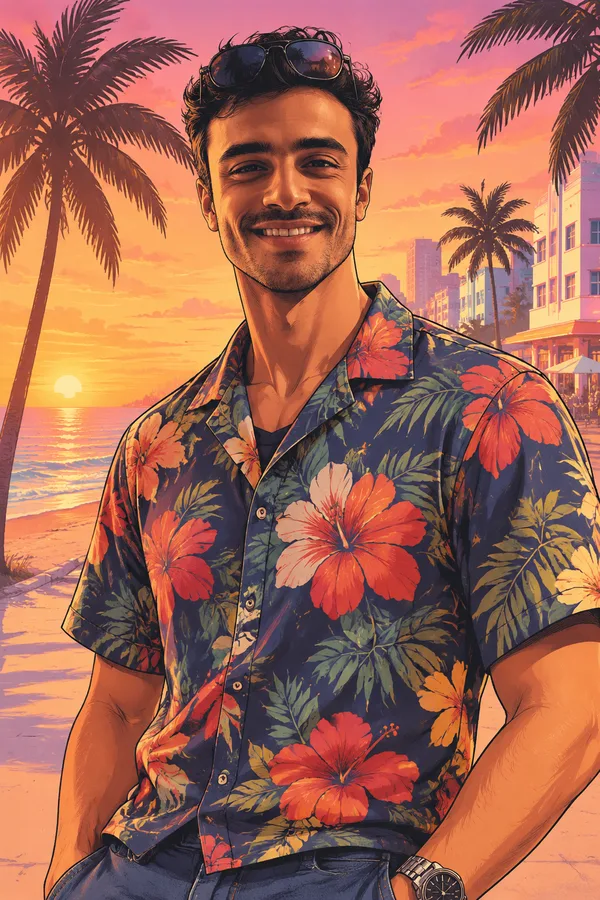
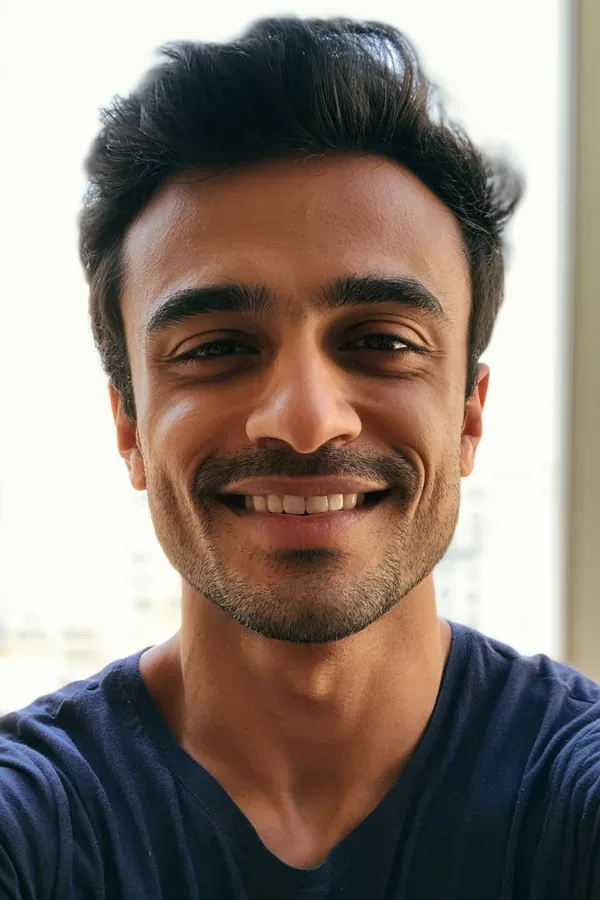 Your selfieGTA filter
Pick a GTA Filter Scene
Each scene is a tested GTA AI filter prompt. Press a button and it goes into the generator above. Then upload your photo and press Generate.
Loading Screen Poster
Painted game art with bold outlines and sunset colors, like a GTA 6 loading screen.
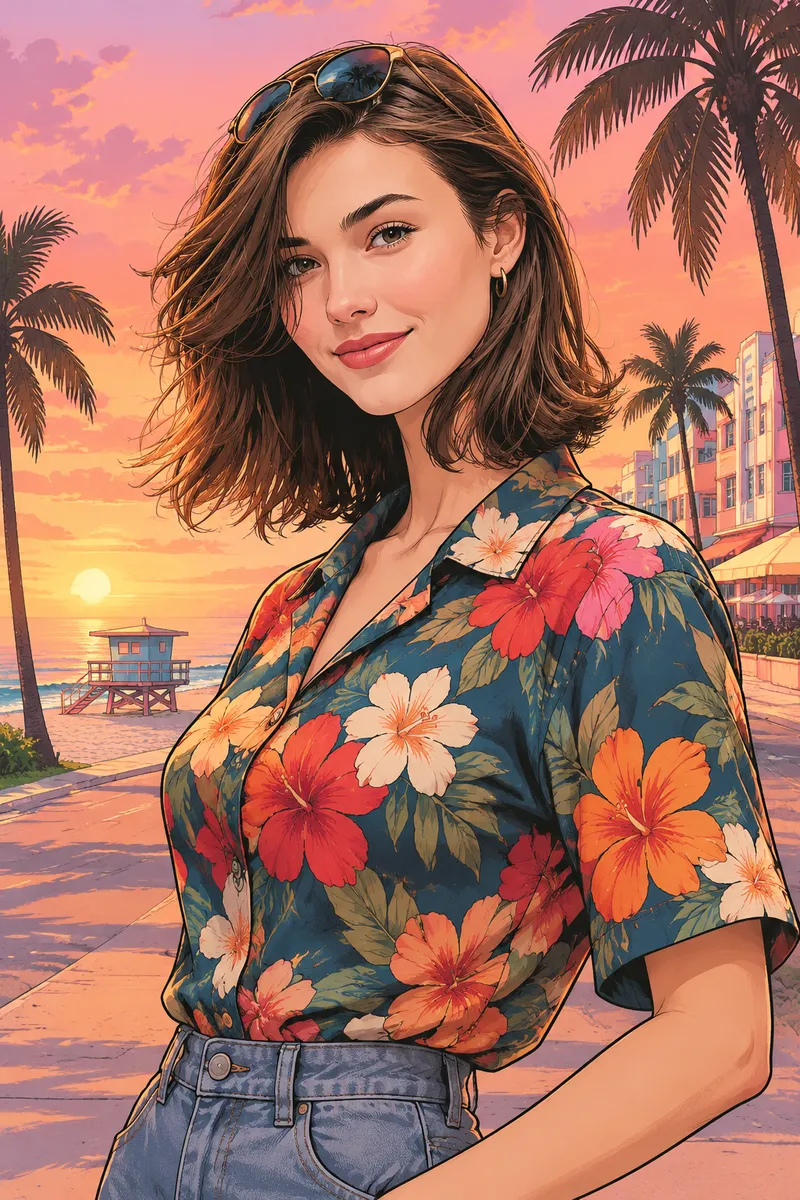
Sunset Boulevard
Floral shirt, sunglasses up, palm trees and a pink sunset. The classic GTA 6 look.
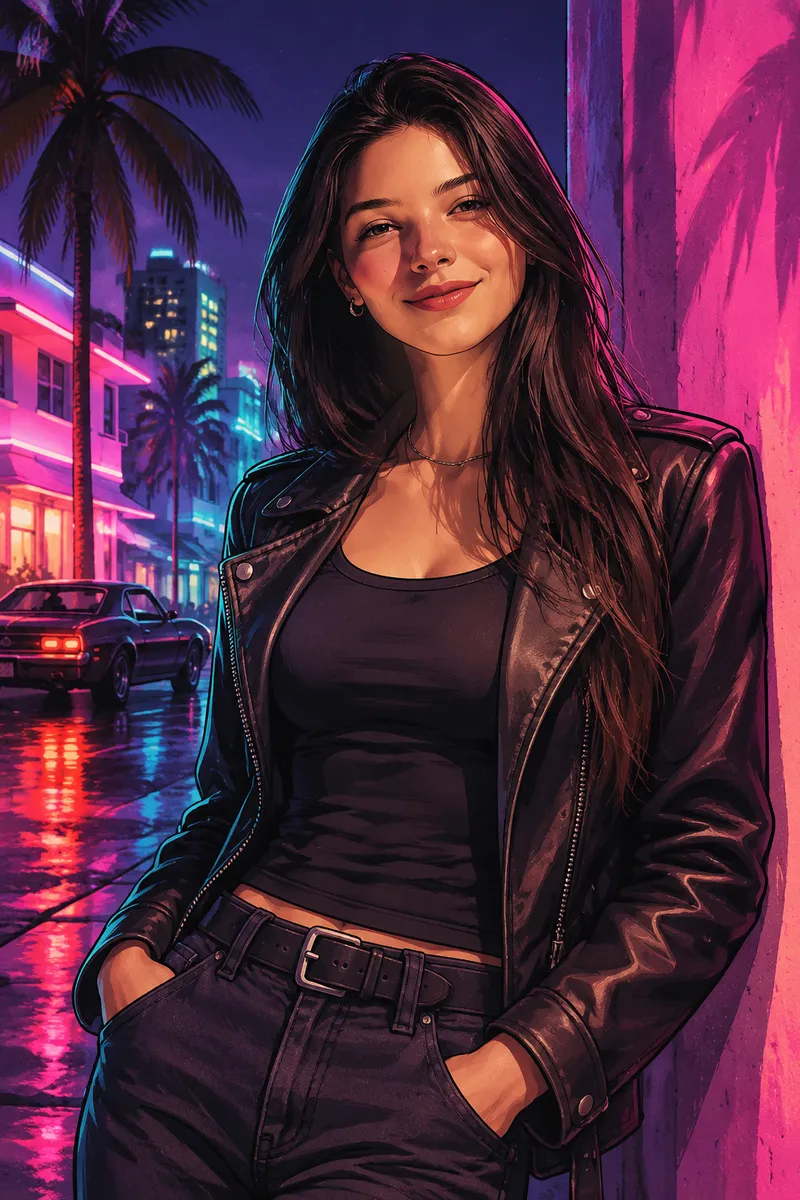
Neon Nights
A leather jacket on a wet street lit by pink and teal neon signs.
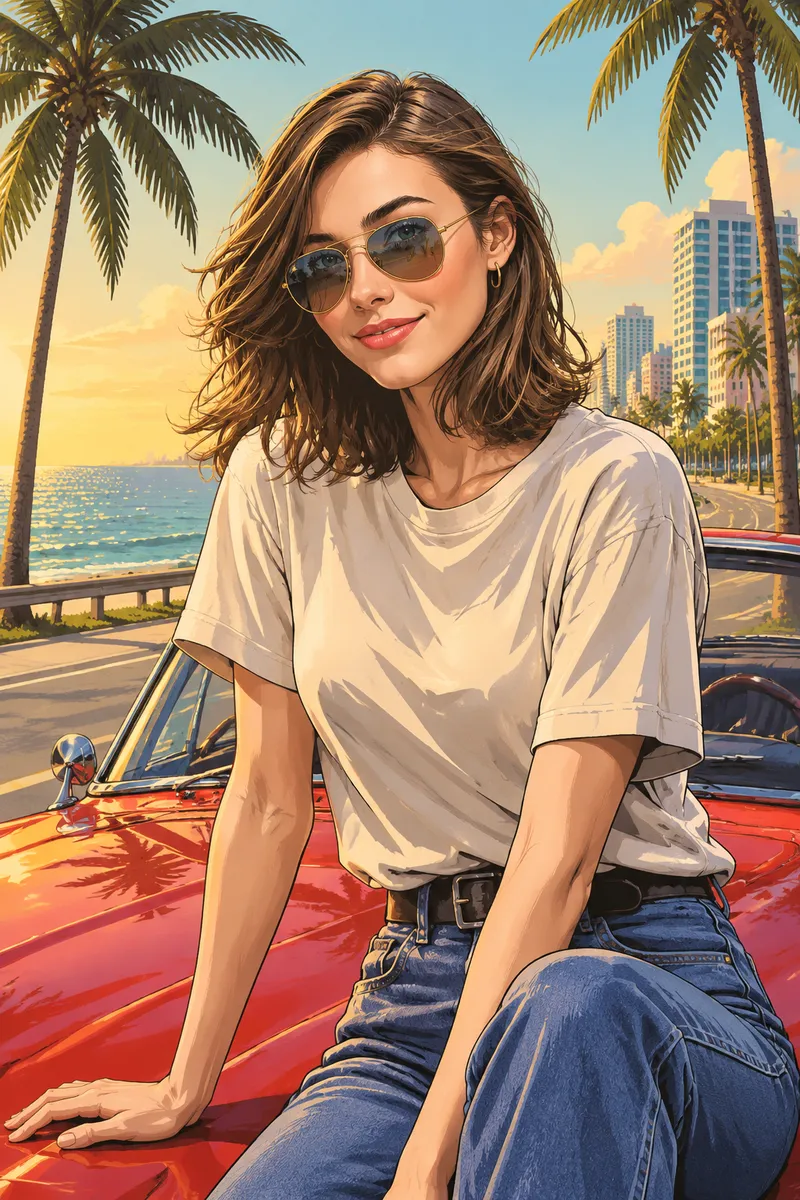
Convertible
Sit on the hood of a red vintage convertible by the ocean.
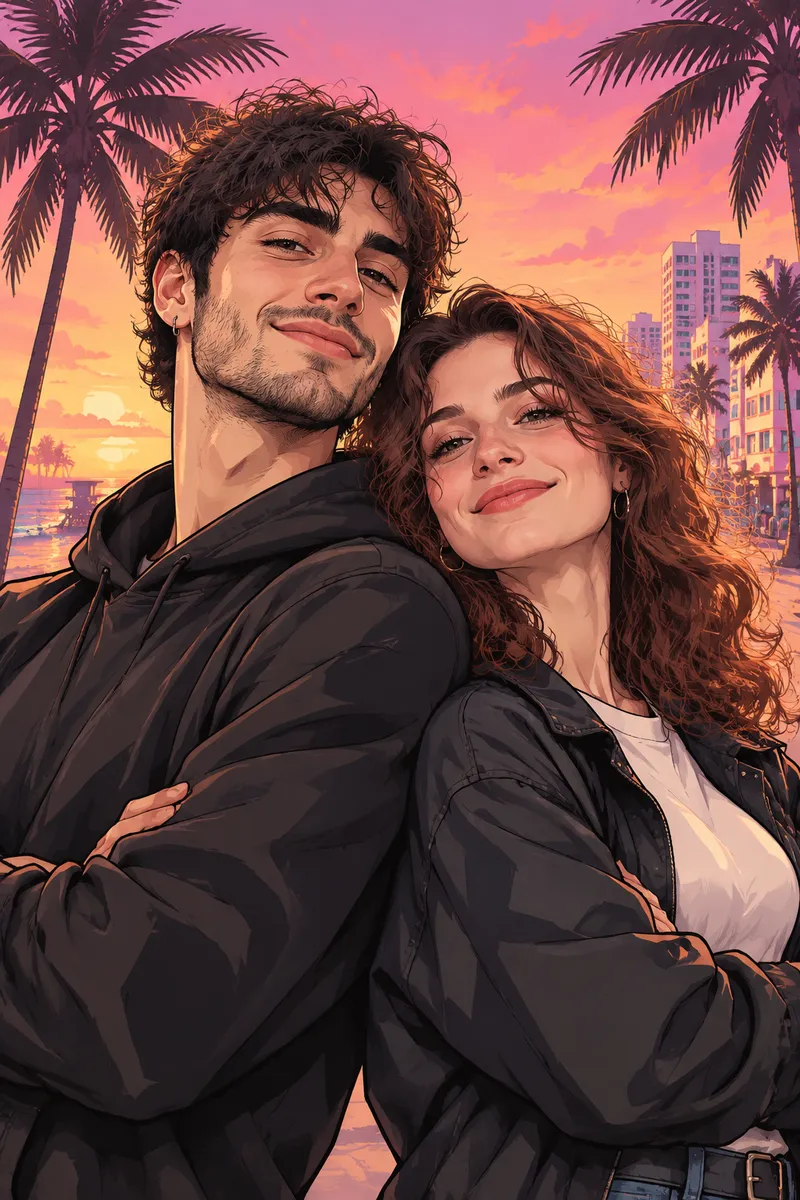
Partners in Crime
Back to back with your partner or best friend. Upload a photo of two people.
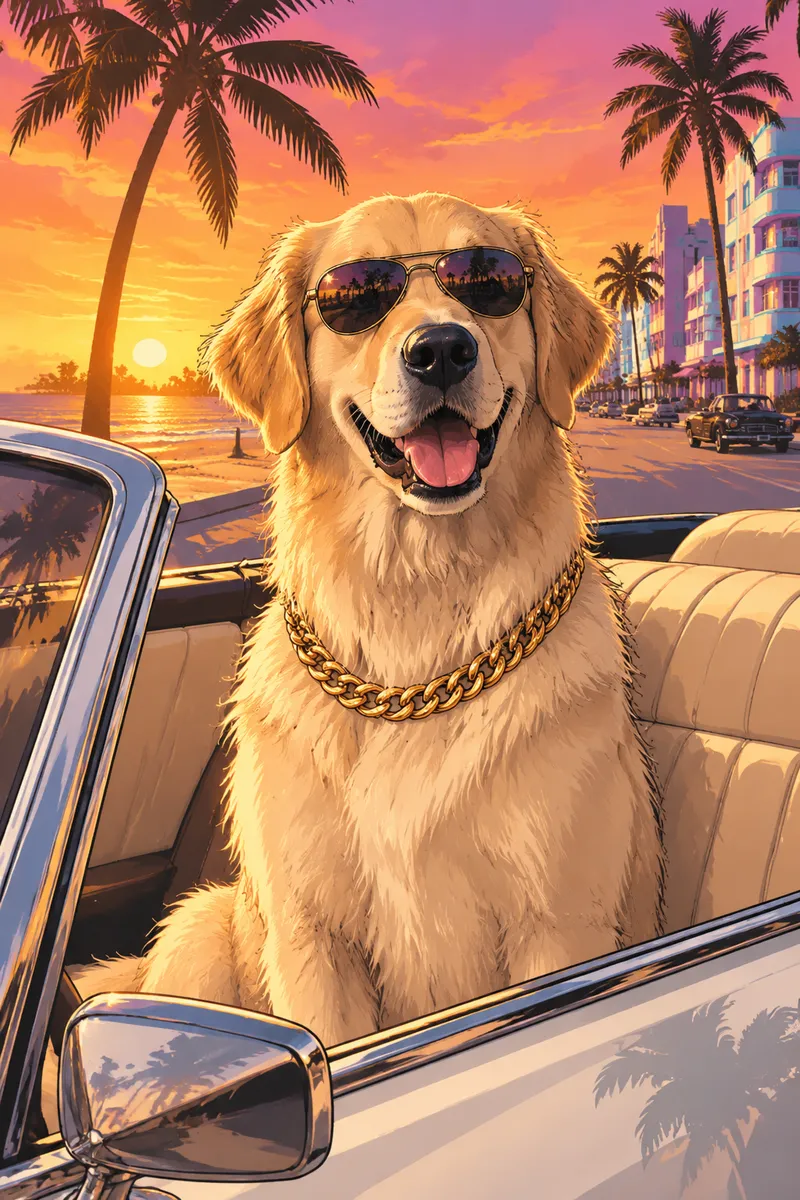
Pet Boss
Your dog or cat rides shotgun with tiny sunglasses and a gold chain.
In-Game Screenshot
The GTA AI filter puts you inside the open world as a 3D game character.
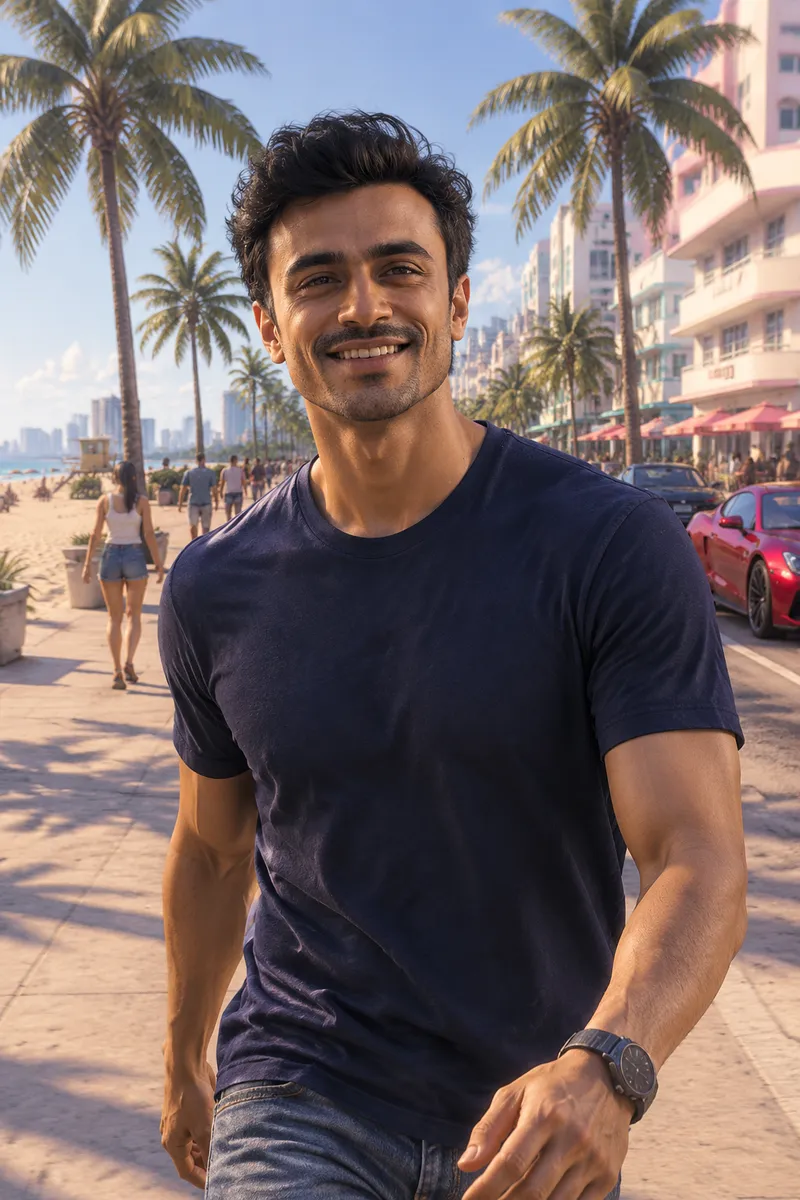
Beach Walk
Walk the beach boulevard as the main character, in your own clothes.
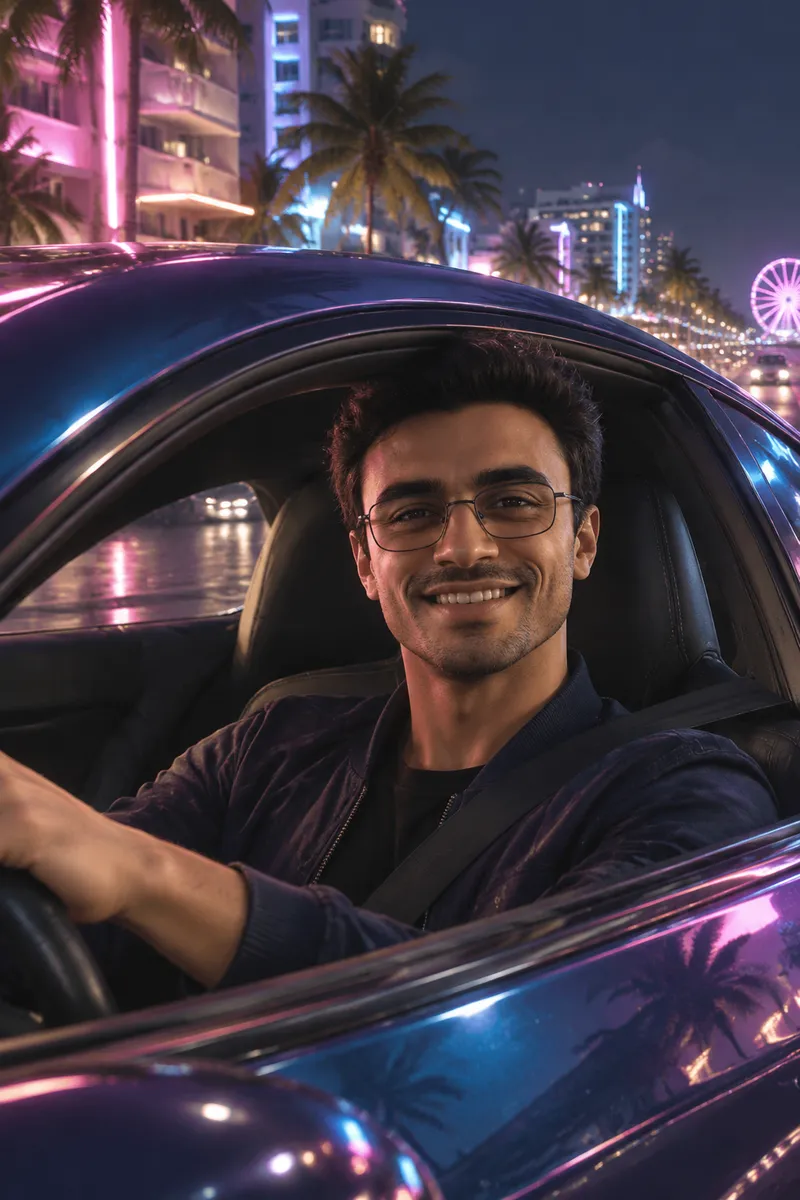
Night Drive
Drive a sports car through the neon city at night.
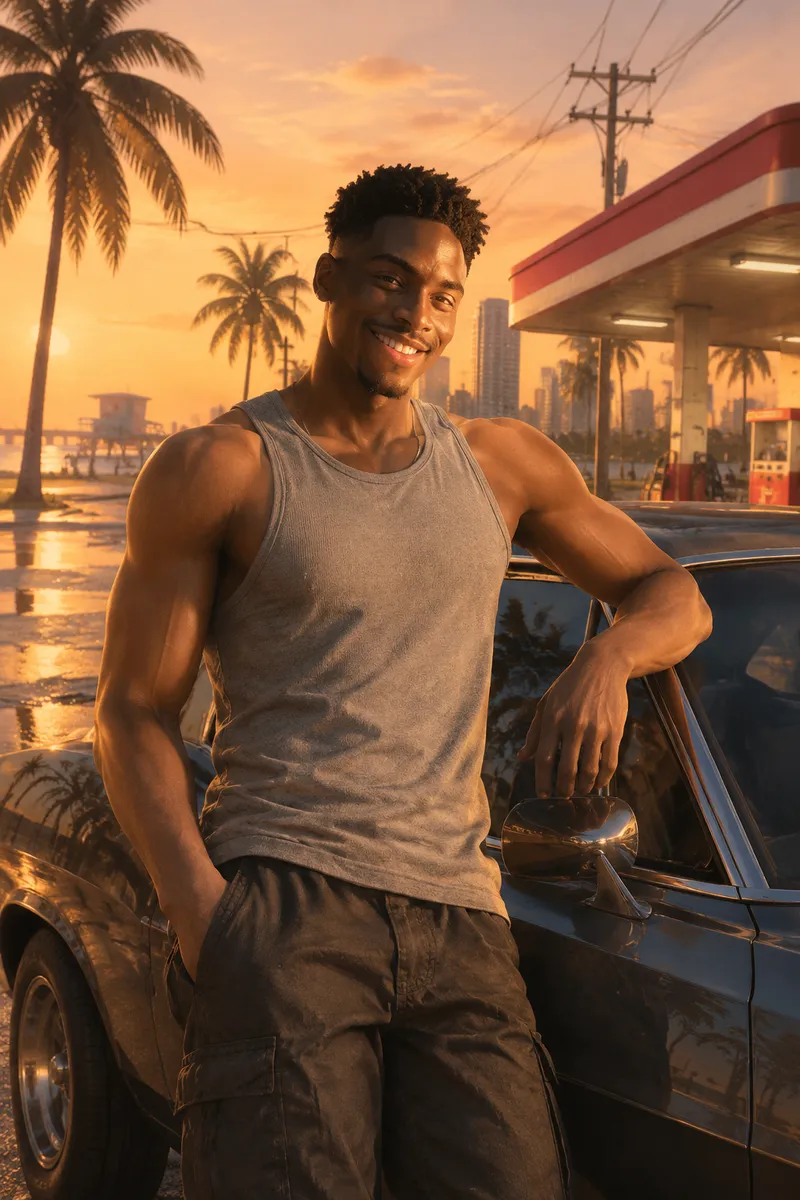
Gas Station
Lean on a muscle car at a retro gas station at golden hour.
How to Use the GTA AI Filter
Three steps to use the GTA filter. No app and no editing skills needed.
- 1
Upload a clear photo
A selfie or a half-body photo with your face easy to see. For Partners in Crime, use a photo of two people. For Pet Boss, a photo of your pet.
- 2
Pick a GTA filter scene
Choose a loading screen poster or an in-game screenshot. The prompt fills in for you.
- 3
Generate and download
Press Generate. The GTA AI filter usually finishes in about 30 seconds.
Tips for a Better GTA Filter Photo
The photo you upload matters most for the GTA AI filter.
Face the camera
A front-facing photo keeps your face easy to recognize in the poster.
Bright light
Daylight or a well-lit room. Dark or blurry photos lose detail.
One person per photo
Most scenes work best with one person. For two people, pick Partners in Crime.
Try both looks
Posters are bold and painted. In-game scenes look like a 3D game. Try one of each.
GTA 6 AI Photo Prompts
The full GTA 6 AI photo prompt behind each GTA filter scene. Copy one to use or edit it, for example to change the outfit or the car.
Sunset Boulevard
Turn the person in this photo into a character portrait in the style of a painted video game loading screen artwork: semi-realistic digital illustration with bold clean black ink outlines, flat cel shading, smooth gradients, crisp graphic shadows and highly saturated colors, like official promotional key art for a modern open-world crime game set in a sunny Miami-like coastal city. They stand confidently in the foreground, half body, wearing a colorful floral short-sleeve shirt buttoned up, with jeans or shorts, and sunglasses pushed up on the head, with a beach boulevard, palm trees and a pink-orange sunset sky behind them. Keep the person's face, facial features, skin tone, hairstyle, facial hair and glasses exactly as in the photo so friends can still recognize them. Everyone stays fully clothed in casual everyday clothes: no swimwear, no bikini, no lingerie, no bare chest, nothing revealing. No text, no letters, no numbers, no logos, no game title, no watermark, no HUD, no frame or border.
Neon Nights
Turn the person in this photo into a character portrait in the style of a painted video game loading screen artwork: semi-realistic digital illustration with bold clean black ink outlines, flat cel shading, smooth gradients, crisp graphic shadows and highly saturated colors, like official promotional key art for a modern open-world crime game set in a sunny Miami-like coastal city. Night scene: they lean against a wall on a wet city street lit by pink, purple and teal neon signs (signs without readable words), wearing a sleek leather jacket, cool confident expression. Keep the person's face, facial features, skin tone, hairstyle, facial hair and glasses exactly as in the photo so friends can still recognize them. Everyone stays fully clothed in casual everyday clothes: no swimwear, no bikini, no lingerie, no bare chest, nothing revealing. No text, no letters, no numbers, no logos, no game title, no watermark, no HUD, no frame or border.
Convertible
Turn the person in this photo into a character portrait in the style of a painted video game loading screen artwork: semi-realistic digital illustration with bold clean black ink outlines, flat cel shading, smooth gradients, crisp graphic shadows and highly saturated colors, like official promotional key art for a modern open-world crime game set in a sunny Miami-like coastal city. They sit on the hood of a shiny red vintage convertible sports car parked on an ocean-side highway, palm trees and turquoise sea behind, golden afternoon sun, wearing a casual t-shirt or shirt with jeans and aviator sunglasses. Keep the person's face, facial features, skin tone, hairstyle, facial hair and glasses exactly as in the photo so friends can still recognize them. Everyone stays fully clothed in casual everyday clothes: no swimwear, no bikini, no lingerie, no bare chest, nothing revealing. No text, no letters, no numbers, no logos, no game title, no watermark, no HUD, no frame or border.
Partners in Crime
Turn the two people in this photo into a couple portrait in the style of a painted video game loading screen artwork: semi-realistic digital illustration with bold clean black ink outlines, flat cel shading, smooth gradients, crisp graphic shadows and highly saturated colors, like official promotional key art for a modern open-world crime game set in a sunny Miami-like coastal city. They pose back to back like partners in crime, both looking at the viewer with confident smiles, stylish casual outfits, palm trees and a pink sunset sky behind them. Keep every person's face, facial features, skin tone and hairstyle exactly as in the photo so they can still be recognized. Everyone stays fully clothed in casual everyday clothes: no swimwear, no bikini, no lingerie, no bare chest, nothing revealing. No text, no letters, no numbers, no logos, no game title, no watermark, no HUD, no frame or border.
Pet Boss
Turn the pet in this photo into a boss character portrait in the style of a painted video game loading screen artwork: semi-realistic digital illustration with bold clean black ink outlines, flat cel shading, smooth gradients, crisp graphic shadows and highly saturated colors, like official promotional key art for a modern open-world crime game set in a sunny Miami-like coastal city. The pet sits proudly in the passenger seat of a white vintage convertible on a palm-lined beach road at sunset, wearing tiny sunglasses and a gold chain. Keep the breed, fur color, markings and ears the same so the owner can recognize it. No text, no letters, no numbers, no logos, no game title, no watermark, no HUD, no frame or border.
Beach Walk
Turn this photo into a screenshot of the person as the playable character in a video game. It must look like real-time 3D video game graphics, not a real photograph: a screenshot from a modern open-world crime video game set in a sunny Miami-like coastal city, next-generation game engine render, the person turned into a detailed 3D game character model with slightly smooth CGI skin and game-style hair, game-engine lighting, ray-traced reflections, cinematic color grading, third-person camera like a photo-mode screenshot. They walk along a sunny beach boulevard with palm trees, pastel art deco buildings and parked sports cars, wearing the same clothes as in the photo. Keep the person's face, facial features, skin tone, hairstyle, facial hair and glasses exactly as in the photo so friends can still recognize them. Everyone stays fully clothed in casual everyday clothes: no swimwear, no bikini, no lingerie, no bare chest, nothing revealing. No text, no letters, no numbers, no logos, no game title, no watermark, no HUD, no frame or border.
Night Drive
Turn this photo into a cinematic video game cutscene screenshot. It must look like real-time 3D video game graphics, not a real photograph: a screenshot from a modern open-world crime video game set in a sunny Miami-like coastal city, next-generation game engine render, the person turned into a detailed 3D game character model with slightly smooth CGI skin and game-style hair, game-engine lighting, ray-traced reflections, cinematic color grading, third-person camera like a photo-mode screenshot. The person drives a sleek sports car at night through a neon-lit coastal city, seen from outside through the open window, city lights reflecting on the car, one hand on the wheel. Keep the person's face, facial features, skin tone, hairstyle, facial hair and glasses exactly as in the photo so friends can still recognize them. Everyone stays fully clothed in casual everyday clothes: no swimwear, no bikini, no lingerie, no bare chest, nothing revealing. No text, no letters, no numbers, no logos, no game title, no watermark, no HUD, no frame or border.
Gas Station
Turn this photo into a video game screenshot. It must look like real-time 3D video game graphics, not a real photograph: a screenshot from a modern open-world crime video game set in a sunny Miami-like coastal city, next-generation game engine render, the person turned into a detailed 3D game character model with slightly smooth CGI skin and game-style hair, game-engine lighting, ray-traced reflections, cinematic color grading, third-person camera like a photo-mode screenshot. The person stands next to a muscle car at a retro roadside gas station at golden hour, palm trees and power lines against an orange sky, relaxed confident pose. Keep the person's face, facial features, skin tone, hairstyle, facial hair and glasses exactly as in the photo so friends can still recognize them. Everyone stays fully clothed in casual everyday clothes: no swimwear, no bikini, no lingerie, no bare chest, nothing revealing. No text, no letters, no numbers, no logos, no game title, no watermark, no HUD, no frame or border.
What Is the GTA 6 Filter Trend?
GTA 6 came out in November 2026, and people started turning their selfies into GTA style art right away. The GTA filter gives you the game's look: a painted loading screen poster with bold outlines and a sunset sky, or a screenshot where you are the main character in a sunny, Miami-like city.
Searches for the GTA AI filter and for GTA 6 AI photo prompts jumped in the week of the launch. Most people share the result as a profile picture or a story. This GTA AI filter makes one from a single photo, and it works for couples and pets too.
GTA and Grand Theft Auto are trademarks of Take-Two Interactive. This page is a fan-made photo effect and is not connected with Rockstar Games or Take-Two Interactive. It does not use any official artwork, logos or fonts.
More Photo Effects
Liked the GTA filter? Here are other fun ways to use your photos.


GTA AI Filter FAQ
Is the GTA AI filter free?
New accounts get 3 free credits. With the default model, GPT Image 2, each photo costs 1 credit, so your first 3 GTA filter photos are free. The Generate button always shows the cost first. If a photo fails, the credits go back to your account.
Will people still recognize me?
The GTA AI filter keeps your face, skin tone, hairstyle, facial hair and glasses, so friends can tell it is you. Poster scenes change your outfit to match the scene. Beach Walk keeps the clothes from your photo.
Can I use a couple photo or a photo of my pet?
Yes. Partners in Crime is made for a photo of two people. Pet Boss turns your dog or cat into a boss in a convertible and keeps its breed, fur and markings. The other scenes work best with one person.
Can I make it look more like a video game?
The in-game scenes ask for 3D game graphics, but the default model sometimes makes them look like a movie still. Press Generate again, or switch the model in the generator to Nano Banana 2.1, which looks more like a game render. The Generate button shows the cost before you start.
Can I change the scene or the outfit?
Yes. Every GTA 6 AI photo prompt is on this page. Copy one, change the clothes, the car or the place, and paste it into the generator.
Is this an official GTA filter?
No. GTA and Grand Theft Auto are trademarks of Take-Two Interactive. This is a fan-made AI photo effect, not connected with Rockstar Games or Take-Two Interactive, and it uses no official artwork, logos or fonts.
Who can see my photos?
Your uploads and results are private to your account unless you share them. They are kept for one year, so you can come back and download them.
Become a GTA 6 Character
Upload a selfie, and the GTA AI filter turns it into your own game poster in seconds.